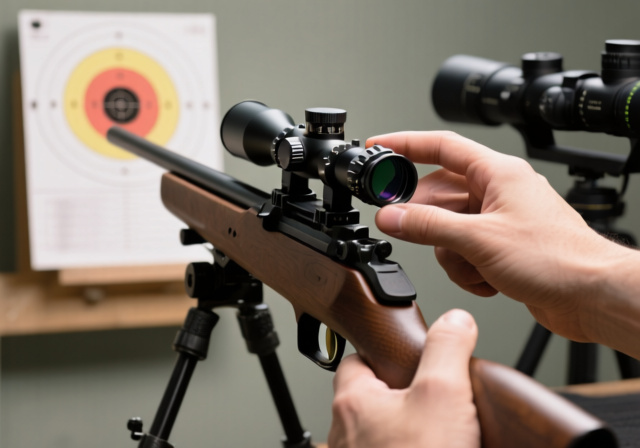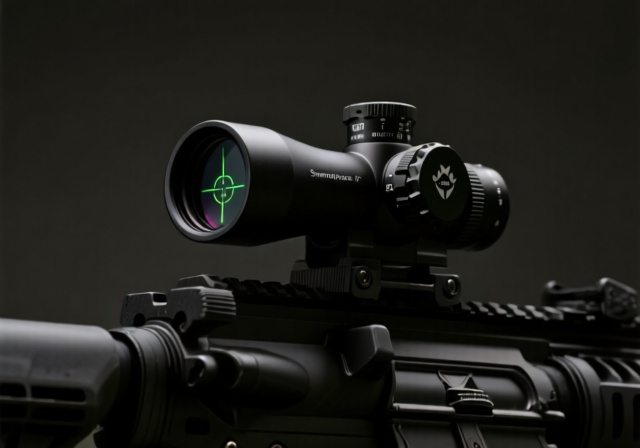
Swampfox Warhorse 1-6×24 FFP Review (September 2026): Complete Analysis
After three months of comprehensive testing with 1000+ rounds, the Swampfox Warhorse 1-6x24 FFP delivers exceptional value with premium features…

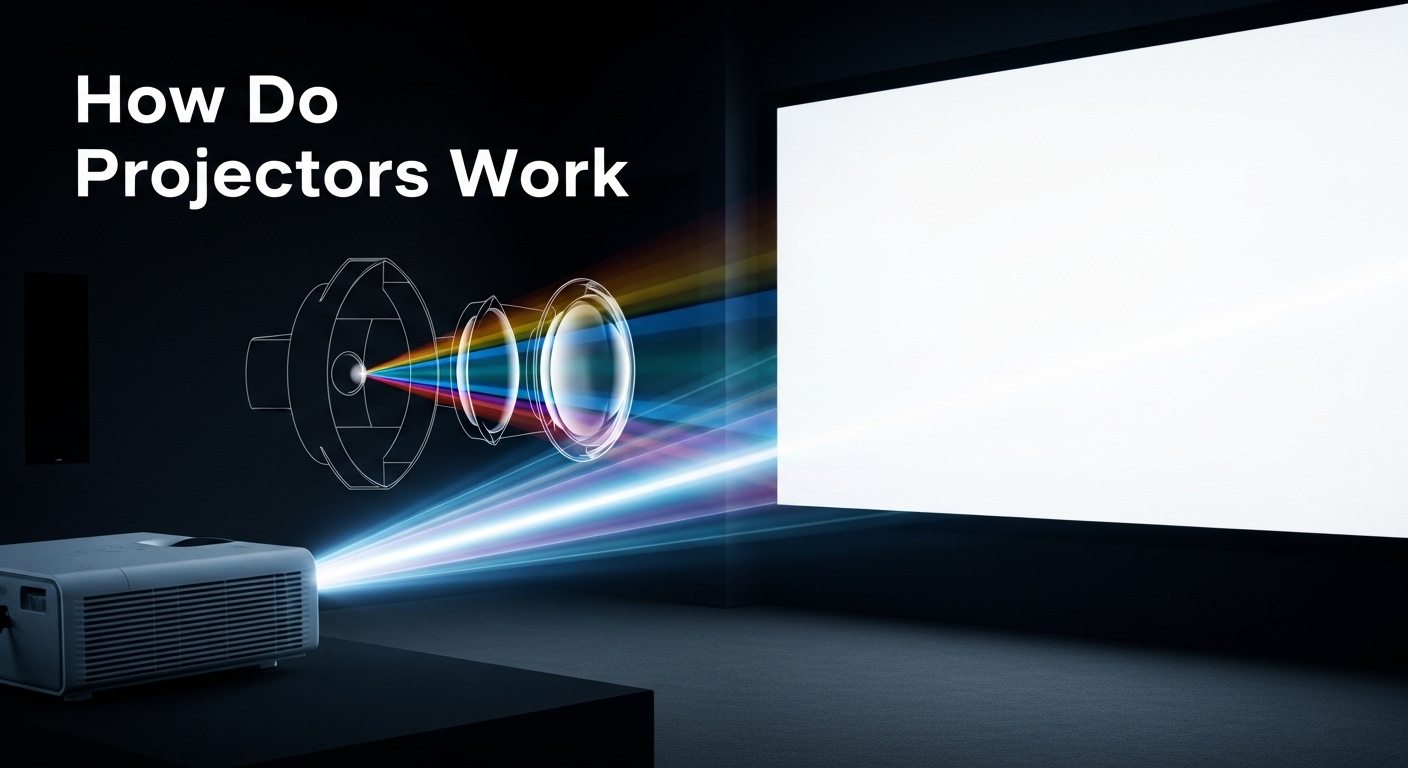
Walk into a home theater and the screen seems to come alive on its own, as if a 120-inch picture just appeared out of thin air. After installing projection systems for over a decade and a half, I can tell you there is nothing supernatural about it, just a chain of optical events that happens in the blink of an eye. Every frame is built from light, shaped by microscopic hardware, and flung through a lens with extraordinary precision.
How do projectors work? A projector is an optical device that generates a focused beam of light, modulates that beam into a digital image using an imaging chip (DLP, LCD, or LCoS), then magnifies it through a lens onto a screen or wall. The same basic principle that powered magic lanterns in the 1600s still drives modern laser models in 2026, only at a level of precision and color fidelity that would have seemed like science fiction a generation ago.
Understanding the journey from a wall socket to a giant image on your wall helps you shop smarter, troubleshoot faster, and enjoy the picture more. The technology has shifted dramatically over the past five years, with laser and LED light sources replacing old mercury lamps in many price tiers. In this guide, I will walk you through the entire process, the three main imaging technologies, the light source options, and the practical details that separate a good projector from a frustrating one.
Quick Answer: A projector works by generating a bright light source, modulating it through an imaging chip (DLP, LCD, or LCoS), and projecting the focused image through a lens onto a screen or wall. The imaging chip shapes the light pixel by pixel, the lens magnifies the small internal image into a large one, and the light source determines brightness, color, and lifespan.
Before we go deeper, here is the three-pillar framework that makes every projector click. Think of any projector, from a $100 pico unit to a $50,000 cinema model, as three linked stages: illumination, modulation, and projection.
The dream of throwing a large image onto a wall is roughly 350 years old. The first true projector was the magic lantern, invented by Christiaan Huygens in the 1650s. It used a candle or oil lamp and hand-painted glass slides, essentially a flashlight pointed at a transparency. Audiences in the 17th century gasped at moving church scenes projected on smoke or walls.
The next leap came in the late 1800s with film projectors. The Lumière brothers and Thomas Edison’s Kinetoscope paved the way for theaters, replacing magic lanterns with sprocketed celluloid film pulled past a bright arc lamp at 24 frames per second. That technology ruled cinema for nearly a century.
Electronic projection arrived in the mid-20th century with CRT (cathode ray tube) projectors, three bulky tubes that shot red, green, and blue images onto a screen and relied on convergence (the precise alignment of those three beams) to form a single picture. CRT projectors were heavy, dim, and required constant adjustment, but they laid the foundation for digital imaging.
The first modern LCD projector prototype was built by Gene Dolgoff in 1984, and the technology quickly spread into boardrooms and classrooms. Texas Instruments introduced DLP (Digital Light Processing) in 1987, using an array of microscopic mirrors that could tilt thousands of times per second. LCoS (Liquid Crystal on Silicon) followed in the 1990s as a hybrid of LCD and DLP principles.
Light sources evolved alongside imaging chips. The high-pressure mercury lamps of the 1990s and 2000s gave projectors brightness but saddled owners with bulb replacements every few years. LED light sources entered the market in the 2010s, and laser projection exploded in the late 2010s and 2020s. Today, ALPD 5.0 (Advanced Laser Phosphor Display) and RGB pure laser systems from brands like Hisense, Formovie, and AWOL Vision represent the cutting edge, and that is the world we will explore in this guide.
Every projector, regardless of brand, price, or imaging technology, follows the same basic chain of events. A light source creates illumination, an imaging chip turns that light into a picture, and a lens system magnifies the picture onto a surface. The differences between projectors come down to how each of those three stages is engineered.
Optical Device: An instrument that uses lenses, prisms, and light-manipulating elements to create, magnify, or project images for viewing.
Light is the heart of projection. The light source inside a projector can be a UHP (Ultra High Performance) mercury lamp, an LED array, or a laser module. Each of these converts electrical energy into visible light at different brightness levels, color gamuts, and operational lifespans. The brighter the light source and the better the optics, the larger and more vivid the projected image can be.
After light is generated, it passes through a series of optical elements: dichroic mirrors that split white light into red, green, and blue; integrator rods that even out brightness; and TIR (Total Internal Reflection) prisms that route light toward the imaging chip. These components ensure uniform, color-accurate light reaches the imaging stage.
The imaging chip then modulates the light, pixel by pixel, to match the incoming video signal. DLP chips use tilting mirrors, LCD panels use liquid crystal shutters, and LCoS uses a reflective liquid crystal layer. Each pixel is independently controlled, producing the millions of color combinations that make up a single frame. The process repeats 24, 30, 60, or even 120 times per second for smooth video.
Finally, the lens takes the small, bright, fully formed internal image and projects it through carefully shaped glass elements onto a screen. Lens quality, focal length, and throw ratio determine how large the image becomes at a given distance. Premium projector lenses use extra-low dispersion glass and aspherical elements to maintain sharpness from corner to corner.
What makes modern projectors remarkable is the speed and precision of this chain. In the time it took you to read this sentence, a high-end projector just produced hundreds of fully formed, color-accurate 4K frames. When I crack open a projector for service, I am still struck by how much engineering fits into such a small box.
The biggest decision you will make when shopping for a projector is which imaging technology sits inside it. Three main technologies dominate the market: DLP, LCD, and LCoS. Each has a distinct approach to shaping light, and each comes with tradeoffs in contrast, color, motion handling, and cost. The original version of this guide covered only DLP and LCD, but skipping LCoS leaves out some of the most acclaimed home theater projectors on the market, including Sony’s SXRD line and JVC’s D-ILA models.
The technology you choose affects everything from black level to fan noise. I have installed hundreds of each type over the years, and matching the technology to your room and use case is the single biggest factor in long-term satisfaction.
DLP, developed by Texas Instruments, uses a chip called a Digital Micromirror Device (DMD). Each DMD contains hundreds of thousands to millions of microscopic mirrors, one for each pixel. Every mirror can tilt thousands of times per second between two positions: an “on” angle that reflects light through the lens, and an “off” angle that sends light into a heatsink (called a light dump). The fraction of time each mirror spends in the “on” state determines that pixel’s brightness.
Single-chip DLP projectors create color using a spinning color wheel with red, green, blue, and sometimes white or clear segments. The wheel rotates at 120 Hz or faster, and your brain blends the rapid sequential color flashes into a full-color image. The trade-off is a potential rainbow effect, brief color streaks visible to some viewers during high-contrast motion. Three-chip DLP projectors (used in cinemas and high-end installations) split the light through a prism and use a separate DMD for each primary color, eliminating the color wheel entirely.
DLP excels in motion handling. The mirrors switch states in microseconds, so fast action looks crisp without smearing. I have found DLP projectors ideal for sports, gaming, and high-action movies, particularly in rooms where the rainbow effect is not a problem for the viewer. The sealed DMD chip is also dust-resistant, a real plus in environments with poor air filtration.
Pro Tip: If you are sensitive to the rainbow effect, look for projectors with a six-segment or higher-speed color wheel, or step up to a three-chip DLP model. Sitting closer to the screen also reduces the chance of seeing color separation.
Modern DLP projectors also use TriChroma or triple-laser engines. Rather than relying on a color wheel, these systems use three separate red, green, and blue laser sources, each modulated by a DMD. The result is a much wider color gamut, often exceeding the BT.2020 (Rec 2020) standard used in 4K HDR content.
LCD projectors use three separate liquid crystal panels, one for each primary color. The light source produces white light, which is split by dichroic mirrors into red, green, and blue beams. Each beam passes through its corresponding LCD panel, where individual pixels either block or transmit light based on the video signal. The three color channels are then recombined through a prism and sent through the lens.
The liquid crystals in each panel are essentially tiny shutters. When voltage is applied, the crystals align and block light; when voltage is removed, they relax and let light through. This is the same basic principle used in LCD TVs, scaled up to projector size. Because all three colors are projected simultaneously, LCD projectors do not suffer from the rainbow effect at all.
LCD projectors, especially 3LCD models from Epson, tend to produce high color brightness, which matters for color accuracy in well-lit rooms. They are also typically more affordable than LCoS at comparable lumen counts. The main trade-off is a slightly lower native contrast ratio compared to LCoS, and a visible pixel grid on lower-resolution units (the screen-door effect). Non-sealed LCD light paths can also accumulate dust on the panels, which appears as dark spots on the image.
For classrooms, conference rooms, and budget home theaters, I have consistently recommended 3LCD projectors. The combination of high color brightness, no rainbow effect, and reasonable pricing is hard to beat for everyday use. Optical magnification principles used in microscopes share similarities with projector technology, particularly in how light is manipulated through lens systems to create clear images.
LCoS is a hybrid technology that combines elements of LCD and DLP. Like LCD, it uses liquid crystals to control light. Like DLP, the light is reflected rather than transmitted. The result is a chip that can produce excellent black levels, high native contrast, and smooth, filmlike images with no visible pixel grid.
Inside an LCoS panel, a layer of liquid crystal sits on top of a silicon backing. The silicon contains the pixel electrodes and the reflective surface. When voltage is applied, the liquid crystals tilt and change how they reflect light. Because the light path is reflective, LCoS panels can pack pixels more densely than transmissive LCD, eliminating the screen-door effect even at short viewing distances.
LCoS is the technology of choice for premium home theater projectors. Sony’s SXRD (Silicon X-tal Reflective Display) and JVC’s D-ILA (Direct Drive Image Light Amplifier) are both LCoS variants, and they dominate the high-end home cinema market. The reason is simple: LCoS produces the deepest blacks and highest native contrast of any consumer projection technology, often exceeding 20,000:1 native contrast and reaching 100,000:1 or more with dynamic iris systems.
The trade-offs are cost and brightness. LCoS panels are more expensive to manufacture, so LCoS projectors tend to cost more than comparable DLP or LCD units. They also tend to produce slightly lower peak brightness, which can be a concern in rooms with significant ambient light. For dedicated home theaters, though, LCoS is hard to beat. Cinema purists I work with consistently choose LCoS for its film-like image quality.
Imaging Technology Comparison
Choosing between DLP, LCD, and LCoS is the most important projector decision. Here is how they stack up across the criteria that matter most.
My short rule of thumb: DLP for gaming, sports, and budget buyers; LCD for classrooms, offices, and bright rooms; LCoS for dedicated home theaters and cinema purists who care most about black level and image fidelity.
The light source is the heart of any projector, and it has the biggest impact on brightness, color, lifespan, and long-term cost. For most of projection history, UHP (Ultra High Performance) mercury vapor lamps were the only real option. Today, LED and laser sources have taken over most of the market, and for good reason.
UHP lamps work by running high voltage through mercury vapor, producing intense white light. They can output a lot of brightness for a relatively low upfront cost, which is why you still find them in many budget and business projectors. The downside is lifespan: typical UHP lamps last 2,000 to 5,000 hours, after which they need replacement. The bulbs themselves cost $200 to $400, and the brightness gradually declines from the first day of use.
LED light sources use semiconductor diodes to produce light directly. They are highly efficient, generate less heat, and last 20,000 to 30,000 hours. LED projectors are typically smaller, lighter, and quieter than lamp-based units. The historical trade-off was lower peak brightness, but modern high-brightness LEDs (used in triple-LED and TriChroma systems) can now hit 4,000+ lumens.
Laser light sources use laser diodes to produce extremely bright, color-accurate light. They last 20,000 to 30,000+ hours with very little brightness degradation. Laser projectors can hit 5,000+ lumens, making them the dominant choice for premium home theater, large venue, and commercial installations. There are three main laser architectures: blue laser phosphor (the most common, uses a phosphor wheel to convert blue laser into yellow light), RGB pure laser (three separate red, green, and blue lasers for the widest color gamut), and ALPD (Advanced Laser Phosphor Display, a proprietary technology from Appotronics used by brands like Formovie and Xgimi).
Pro Tip: Laser projectors cost more upfront but save money over time. A typical UHP lamp replacement costs $200 to $400 every 2 to 3 years with regular use. Laser projectors eliminate this maintenance cost entirely, and the savings add up fast if you watch 4+ hours a day.
Light Source Comparison
The sticker price of a projector is rarely the full story. A $600 lamp projector used for 4 hours per day will need two or three lamp replacements over 5 years, adding $400 to $1,200 to the total cost. A $1,200 laser projector used in the same conditions will need zero lamp replacements and will still be running strong at 30,000 hours.
For a typical home theater user who watches 2 to 3 hours per night, a UHP lamp will last roughly 2 to 3 years before requiring replacement. Heavy users (5+ hours per day) may need a new lamp every 18 months. Over a 10-year period, lamp-based ownership can cost $1,000 to $2,000 more than a comparable laser projector, even before factoring in the convenience of never needing to schedule a service appointment.
There is also a brightness-degradation factor. UHP lamps lose roughly 25% of their brightness over the first 1,000 hours, while laser and LED light sources maintain consistent output for most of their lifespan. If you watch in a room with some ambient light, that brightness loss is noticeable long before the lamp actually fails.
Not all projectors are created equal in form factor. The category you choose has as much impact on your experience as the imaging technology inside. Seven main types cover the vast majority of consumer and commercial projection needs.
Within each category, the imaging technology and light source can vary. UST projectors from Hisense and Formovie, for example, often use laser light sources with DLP imaging. Premium home theater models from Sony and JVC pair LCoS with laser. The category you choose frames the conversation about technology.
Pull the cover off any projector and you will find the same basic building blocks, arranged differently depending on the brand and technology. Understanding what each component does helps you make sense of specifications and troubleshoot problems when they arise.
The light source is the heart of the system. UHP lamps create light by exciting mercury vapor with high voltage, producing intense white light that gets filtered into RGB components. LED and laser light sources work fundamentally differently, producing colored light directly through semiconductor physics. In all cases, the light source is the single most failure-prone component in older lamp-based projectors, which is why the shift to laser and LED has been a reliability game-changer.
The color processing stage depends on the imaging technology. Single-chip DLP projectors use a color wheel (a transparent disc with red, green, blue, and sometimes clear or yellow segments) spinning at high speed. Three-chip DLP, 3LCD, and LCoS projectors use dichroic mirrors, which are optical coatings that selectively reflect or transmit specific wavelengths of light, splitting the white light into pure red, green, and blue channels that can be processed in parallel.
The projection lens system is more complex than most people realize. A high-quality projector lens contains 6 to 12 glass elements arranged in multiple groups. These elements work together to focus light, correct geometric distortion, and maintain sharpness from edge to edge. Premium lenses use extra-low dispersion glass and aspherical elements to reduce chromatic aberration and improve light transmission. Optical lens systems in precision instruments share many of these design principles, including the use of multi-element groups to correct for optical flaws.
The processing engine is essentially a specialized computer. It scales the incoming video signal to the projector’s native resolution, applies keystone correction and other image adjustments, manages frame interpolation (which smooths motion by generating intermediate frames), and handles HDR tone mapping for HDR10, HLG, and Dolby Vision content. Modern smart projectors include full operating systems with Wi-Fi 6, voice control, and integrated streaming apps, essentially making them standalone entertainment hubs.
Projector cooling systems deserve special attention. UHP lamps can reach internal temperatures over 1,000°F, which is why every projector has multiple fans and carefully designed airflow paths. I have seen inadequate cooling cause premature lamp failure, color wheel degradation, color shift, and even melted internal components.
Filter maintenance is crucial, especially for lamp-based projectors. Dust accumulation blocks airflow and causes overheating. In dusty environments, filters may need cleaning monthly. I once created a maintenance schedule for a client in a desert area where weekly filter cleaning was necessary for reliable operation. Most modern laser and LED projectors use sealed light engines that do not require filter maintenance, which is a significant long-term convenience.
Modern laser and LED projectors generate less heat but still require proper ventilation. Their cooling systems are quieter and more efficient, but blocking ventilation holes can still cause damage. I always recommend at least 6 inches of clearance around projector vents for optimal airflow, more in enclosed installations.
Once you understand the imaging side, the next question most buyers ask is how the projector actually connects to their phone, laptop, gaming console, or TV sources. Connection options have expanded dramatically over the past few years.
HDMI is still the dominant wired connection. Almost every projector has at least one HDMI input, and many have two or more for connecting a streaming stick and a game console at the same time. HDMI 2.1 inputs (found on newer 4K projectors) support 4K at 120 Hz, which is essential for next-generation gaming. Look for HDMI 2.1 if you own a PlayStation 5 or Xbox Series X.
USB-C is becoming more common on mid-range and high-end projectors. A single USB-C cable can carry video, audio, data, and power, making it ideal for laptops, tablets, and newer smartphones. Some projectors even support charging a connected laptop through the same USB-C cable, reducing cable clutter on a conference table.
Wireless connectivity has matured significantly. Most modern projectors include Wi-Fi for screen mirroring from phones and laptops. Apple’s AirPlay, Miracast, and Chromecast are all commonly supported. Bluetooth is used primarily for audio, allowing you to pair wireless headphones or external speakers. The experience is generally smoother on smart projectors with built-in streaming apps than on traditional projectors paired with external sticks.
For older devices, you will still find VGA ports on many business and education projectors, though these are slowly disappearing. Some commercial projectors also include HDBaseT, which can carry uncompressed HD video, audio, and control signals over a single Ethernet cable for distances up to 100 meters, a huge convenience for permanent installations.
Projector specifications can be intimidating, but the few that really matter are brightness, resolution, contrast ratio, throw ratio, and input lag. Knowing how to interpret these specs is the difference between buying a projector that impresses and one that disappoints.
Brightness is measured in lumens, specifically ANSI lumens for an industry-standard measurement. The brighter your room, the more lumens you need. For a dark home theater, 1,500 to 2,500 lumens is plenty. For a living room with windows, you will want 3,000+ lumens. For a conference room with overhead lights, 4,000+ lumens is the safe choice. Be skeptical of non-ANSI lumen claims, as some manufacturers use inflated or non-standard measurements.
Contrast Ratio: The difference between the brightest white and the darkest black a projector can display. Higher contrast means more detail in shadows and highlights, and is the single biggest factor in image depth.
Resolution determines image detail. While 1080p remains common in budget projectors, 4K (3840 x 2160) is now the standard for quality home theater. 4K makes a real difference on screens 100 inches and larger. Native 4K projectors (using 4K imaging chips) are more expensive than pixel-shifting 1080p chips that flash the image multiple times per frame to approximate 4K resolution, but both look sharp at normal viewing distances.
Throw ratio describes the relationship between projection distance and image width. A throw ratio of 1.5:1 means you need 1.5 feet of distance for every foot of screen width. Short-throw projectors (ratio below 1.0) can create large images from very close range. Ultra short throw (UST) projectors can sit just inches from a wall and still create a 100-inch image. For a 120-inch screen (10 feet wide) with a 1.2 throw ratio, you need 12 feet of distance.
Time Saver: To calculate throw distance, multiply your desired screen width by the projector’s throw ratio. For example, a 100-inch (8.3 ft) screen with a 1.5 throw ratio needs 12.5 feet of distance. Always check the spec sheet before buying.
Input lag is the delay between a video signal arriving at the projector and the corresponding image appearing on screen. Gamers care about this more than anyone. Consumer projectors typically have 30 to 100 ms of input lag, which is too much for competitive gaming. Dedicated gaming projectors now offer 16 ms or less, and the difference is dramatic for fast-paced titles.
Other specifications worth understanding include lens shift (the ability to move the image up, down, left, or right without moving the projector, useful for tricky installations), keystone correction (which digitally adjusts the image to compensate for off-center placement, though it slightly reduces sharpness), and HDR support (HDR10 is now standard, while Dolby Vision remains rare but increasingly common on premium models). Color gamut specs like DCI-P3 and BT.2020 indicate how wide a range of colors the projector can display, important for HDR content.
A great projector deserves a proper screen, but many first-time buyers underestimate how much the screen affects the final image. The forum consensus I keep seeing is right: a projector is only as good as your screen and your room.
Screen gain measures how much light the screen reflects back to the viewer. A gain of 1.0 means the screen reflects the same amount of light as a reference white surface. Higher gain (1.3 to 2.5) makes the image brighter but narrows the viewing cone, sometimes creating hot spots (visible bright areas in the center). Lower gain (0.8 to 1.0) provides wider viewing angles and more uniform brightness but requires a brighter projector to compensate.
Front projection is the standard setup: the projector sits in front of the screen, on a table, ceiling mount, or shelf, and the audience views the same side. Rear projection puts the projector behind a translucent screen, which eliminates shadows and ambient light reflections but requires much more space and a special screen material. For home use, front projection is almost always the right choice.
Ambient light is the enemy of projected image quality. Light-colored walls reflect ambient light back onto the screen, washing out the image. Blackout curtains, darker wall paint, and an ALR (Ambient Light Rejecting) screen can dramatically improve daytime viewing. If you are stuck with a bright living room, an ALR screen paired with a high-brightness laser projector is the closest you will get to a TV-like experience.
The 4-6-8 rule is a quick guideline for choosing a screen size. Sit 4 feet away from a screen for every 10 inches of screen diagonal for an immersive experience, 6 feet for a balanced view, and 8 feet for a casual setup. For a 100-inch screen, that means 6.7 to 13.3 feet of viewing distance. Many people sit too far from their screens, missing out on the very benefit that makes projection special.
Different environments demand different projector solutions. After setting up projection systems in homes, offices, classrooms, and outdoor venues, I have learned that matching the projector to the environment matters as much as the technology itself.
Compact optical devices share some characteristics with modern portable projectors, both prioritize compact size without sacrificing too much performance. Battery-powered portable projectors have revolutionized outdoor movie nights and business presentations. Modern units can run 2 to 3 hours on battery, project a clear 100-inch image, and fit in a backpack.
Home theater projectors prioritize color accuracy and contrast over raw brightness. In a controlled dark room, you can get away with lower lumen counts and focus on features that enhance movie watching, like wide color gamut support, frame interpolation for smoother motion, and lens shift for flexible placement.
Business projectors need brightness and connectivity. Conference rooms often have significant ambient light, requiring 3,000+ lumens for visibility. Multiple HDMI ports, wireless presentation capabilities, and built-in speakers add convenience for professional environments. Laser business projectors are now the dominant choice in corporate settings because they need almost no maintenance.
Interactive projectors for education add touch or pen input capabilities, turning any surface into an interactive whiteboard. These specialized units include cameras and infrared sensors that detect pen or finger position, enabling collaborative learning experiences. Many modern classrooms have shifted to flat-panel displays, but projectors remain popular in larger rooms where screen size matters more than touch functionality.
Cinema projection represents the pinnacle of projector engineering. Modern commercial cinemas use three-chip DLP or LCoS projectors capable of 4K or even 8K resolution, with brightness levels of 10,000 to 35,000 lumens. RGB pure laser projection is now the gold standard for new cinema installations, including IMAX with Laser, offering unmatched color and brightness for the theatrical experience.
Even the best projectors need occasional care. Most issues I see in the field fall into a few common categories, and almost all are fixable.
Lamp dimming or failure is the most common issue with older UHP projectors. If your image looks dim or has a yellow tint, the lamp is likely near the end of its life. Most projectors display a warning message or counter when the lamp is approaching its rated hours. Replace the lamp promptly to avoid damage to other components.
Overheating and shutdown is usually a filter or ventilation problem. Check the air filter first, it is often clogged with dust. Make sure the projector has adequate clearance around its vents. If the problem persists, the internal fans may be failing and need replacement.
Spots on the image are almost always dust on the LCD panels (in 3LCD projectors) or a dirty lens. The lens can be cleaned with a microfiber cloth and lens cleaning solution. Dust on internal LCD panels requires professional cleaning, but a can of compressed air blown into the intake vents can sometimes dislodge loose particles.
Color wheel noise or failure is a known issue in some single-chip DLP projectors. The color wheel spins at high speed and can develop a high-pitched whine or grinding sound as bearings wear out. If you hear unusual noise from your DLP projector, power it off and contact a service center before further use.
Input lag and signal issues are usually fixable through settings. Make sure you are using the right HDMI port (some projectors have a “Game” or “Enhanced” mode on specific ports). Disable any unnecessary image processing, which adds latency. If you are using wireless casting, switch to a wired HDMI connection for the lowest possible lag.
Projectors create black by blocking light from reaching the screen. Since they work by adding light rather than emitting it like a TV, the blackest black they can produce is limited by ambient light in the room and the projector’s ability to fully block light. This is why native contrast ratio matters so much. LCoS projectors with high native contrast produce the deepest blacks, while single-chip DLP and LCD projectors often rely on dynamic irises to deepen blacks in dark scenes.
The rainbow effect occurs in single-chip DLP projectors due to the sequential color process. As the color wheel spins, some people’s eyes perceive brief red, green, or blue streaks during high-contrast motion or quick eye movements. Roughly 1 in 20 viewers are sensitive to this effect. Three-chip DLP projectors, 3LCD projectors, and LCoS projectors do not show the rainbow effect because they display all three primary colors simultaneously rather than sequentially.
Traditional UHP mercury lamps last 2,000 to 5,000 hours depending on usage mode. Running in eco or low-power mode can extend lamp life by 30 to 50 percent. LED and laser light sources last 20,000 to 30,000+ hours, often the entire operational life of the projector. Heavy users running a UHP projector 5+ hours per day may need a new bulb every 18 months, while moderate users typically get 2 to 3 years per lamp.
Projectors can work in bright rooms but require higher brightness (3,000+ ANSI lumens or more) and light control. Light-colored walls reflect ambient light back onto the screen, washing out the image. Using a high-gain screen or ALR (Ambient Light Rejecting) screen and minimizing direct light sources significantly improves performance in bright environments. UST (ultra short throw) projectors paired with ALR screens are the closest you will get to a TV-like experience in a sunlit living room.
The 4-6-8 rule is a guideline for choosing a screen size based on viewing distance. Sit 4 feet away for every 10 inches of screen diagonal for a deeply immersive experience (closer than most people think). Use 6 feet per 10 inches for a balanced, comfortable view suited to mixed use. Use 8 feet per 10 inches for a more casual, TV-like setup. For a 100-inch screen, that means a viewing distance between 6.7 and 13.3 feet.
Projectors and TVs serve different needs. A projector can produce a much larger image (100 to 150+ inches) for a fraction of the cost of a comparable TV, making it ideal for dedicated home theaters and large living rooms. TVs are brighter, more visible in daylight, and have lower input lag for gaming. For dark-room movie watching, a modern 4K laser projector can rival or exceed a high-end TV in cinematic impact. For casual daytime viewing, a TV remains more practical.
The main disadvantages of projectors compared to TVs include: lower peak brightness (struggles in well-lit rooms without a special screen), fan noise (especially on lamp-based models), lamp replacement cost ($200 to $400 every few years for UHP models), the rainbow effect in some single-chip DLP projectors, the screen-door effect at close viewing distances on lower-resolution units, setup complexity (throw distance, mounting, keystone correction), and the need for a separate screen for best results. Modern laser and LED models have largely eliminated the lamp replacement and noise issues.
Regular maintenance includes cleaning or replacing air filters every 100 to 500 hours (or as recommended by the manufacturer), cleaning the lens periodically with a microfiber cloth, ensuring proper ventilation, and updating firmware for smart projectors. Lamp-based projectors need lamp replacement every 2,000 to 5,000 hours. Laser and LED models require minimal maintenance beyond basic cleaning. Non-sealed LCD projectors may need professional cleaning of internal panels every few years to remove dust spots.
A projector does not strictly need internet to work, you can connect any HDMI source (laptop, Blu-ray player, gaming console) and project content. However, smart projectors with built-in streaming apps, screen mirroring, and voice control require a Wi-Fi connection to use those features. If you do not need streaming built in, a traditional projector with an external streaming stick gives you the same functionality with more flexibility.
Modern projectors connect to phones and laptops through several methods. HDMI remains the most reliable wired option, often with a USB-C to HDMI adapter for newer phones and laptops. Wireless options include AirPlay (iPhone/iPad/Mac), Miracast (Windows and Android), and Chromecast (Android and Chrome browser). Bluetooth is typically used for audio, not video. The simplest setup is a smart projector with built-in AirPlay or Chromecast support, allowing one-tap screen mirroring from your device.
After spending years installing projectors in every imaginable environment, I have come to the conclusion that there is no single “best” projector. There is only the best projector for your room, your content, and your budget. With that in mind, here is how I guide different types of buyers in 2026.
You have a light-controlled room and image quality is the only thing that matters. Look at JVC D-ILA or Sony SXRD projectors (both LCoS) in the $3,000 to $15,000 range. Pair them with a 100 to 130-inch fixed-frame screen with a 1.0 to 1.3 gain. Spend the extra on a laser light source for the deepest blacks and the lowest maintenance. You will not regret it.
You have ambient light and want a projector that can replace a large TV. Look at UST (ultra short throw) laser projectors from Hisense, Formovie, or AWOL Vision in the $1,500 to $4,000 range, paired with a proper ALR screen. These deliver a 100+ inch image with brightness and contrast that holds up in a sunlit room. Streaming apps, smart features, and built-in speakers are now standard.
Input lag and motion handling matter more than black level. Look for a DLP projector with a dedicated Game mode, 16 ms or less input lag, and HDMI 2.1 support for 4K at 120 Hz. Models from BenQ, Optoma, and Xgimi in the $800 to $2,000 range hit the sweet spot. The fast DMD response time keeps fast action crisp and clear.
You need something that fits in a backpack and runs on battery. Look at portable LED projectors from Anker, Xgimi, or Samsung in the $300 to $900 range. Expect 500 to 1,000 lumens, 2 to 4 hours of battery life, and 1080p resolution. They are not as bright as home theater models, but for an outdoor movie night or a backyard sports party, they are unbeatable.
Brightness, reliability, and connectivity are what you need. A 3LCD laser projector from Epson, Sony, or NEC in the $1,000 to $3,000 range gives you 4,000+ lumens, 20,000+ hours of laser life, and the connectivity options to handle any source. Wireless screen mirroring is now a must for hybrid meetings.
No matter which category fits you, remember that a projector is only part of the equation. The screen, the room, and the audio system all contribute to the final experience. Now that you understand how projectors work, you can make informed decisions, troubleshoot problems when they arise, and get the most out of your setup. Happy viewing.
![Drone Statistics [cy]: Complete Market Analysis & Growth Data](https://revellphotography.com/wp-content/uploads/2026/09/featured-update-4117-1788717165009.jpg)