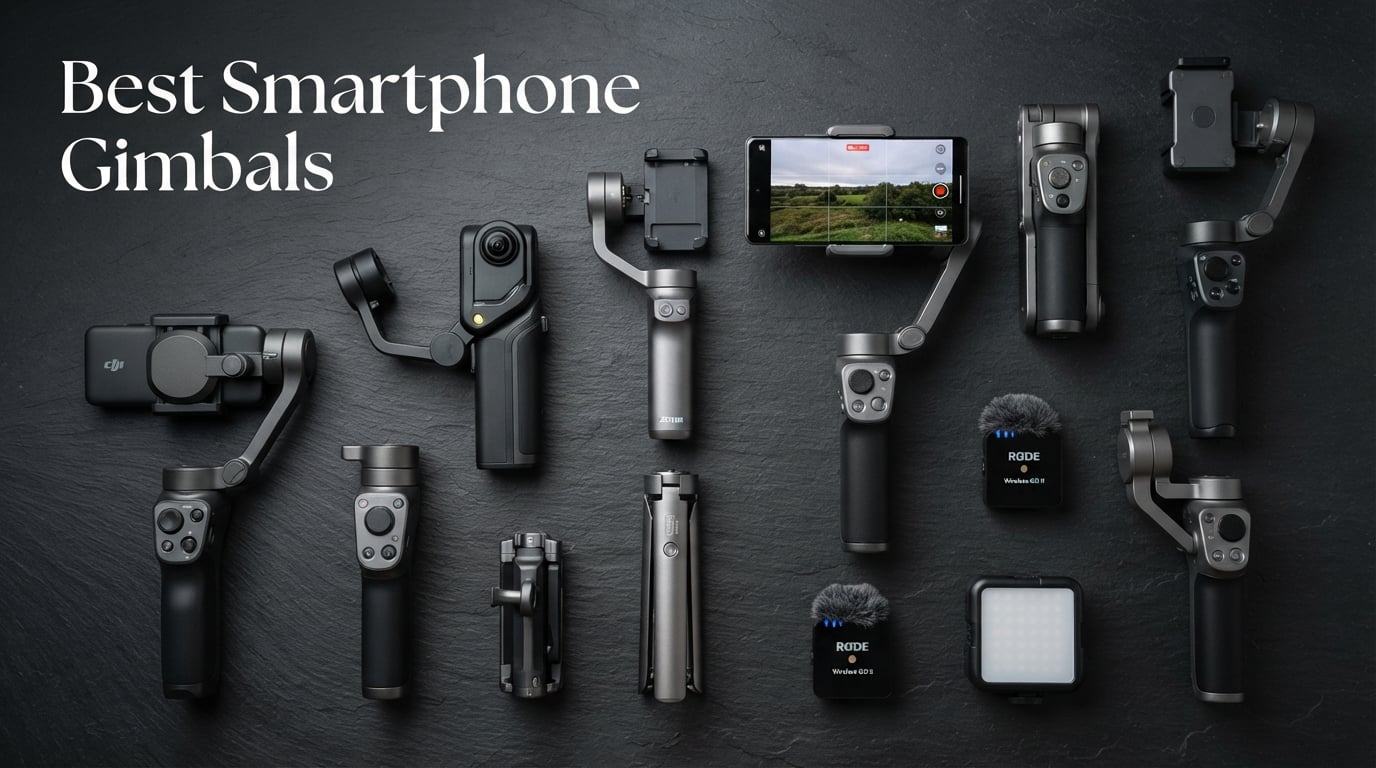
8 Best Smartphone Gimbals (October 2026) – Tested and Compared
I spent the last 90 days shooting real vlogs, walk-and-talk product reviews, and travel clips with eight smartphone gimbals strapped…

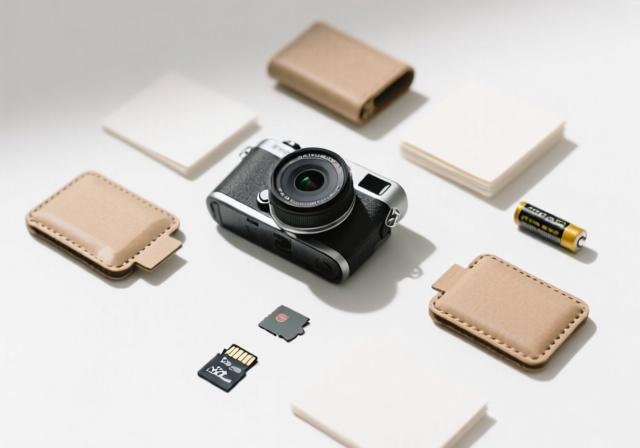
Most digital cameras today compete on megapixels, autofocus points, and AI processing. The Paper Shoot Camera runs in the opposite direction, swapping out the LCD, the menus, and the touchscreen for a paper-thin body and four stubborn filter modes. After spending 30 days carrying one everywhere from my morning coffee runs to a friend’s wedding rehearsal dinner, I can confirm: this little cardboard rectangle makes photography feel fun again in a way I had forgotten.
What is the Paper Shoot Camera, exactly? It is a screenless, eco-built 20MP digital camera wrapped in a recyclable stone-paper shell, designed to mimic the surprises and imperfections of film while storing thousands of shots on a microSD card. Born from a Taiwanese design project that landed on TIME’s Best Inventions list in 2021 and earned a 2025 New York Times Wirecutter feature, the Paper Shoot has built a cult following among photographers who want to unplug from their phones without giving up the convenience of digital.
This review is based on 30 days of daily shooting, more than 400 frames in real conditions, and side-by-side comparisons against a smartphone, a Fujifilm Instax, and a Camp Snap, the closest direct competitor. A note on the buy link: the official Paper Shoot brand (papershoot.com) is not currently listed on Amazon US, so the Amazon option below points to the CAPPY 20MP Screen-Free Digital Camera, a functional stand-in with a 20MP sensor, USB-C charging, and the same screenless philosophy. I’ll flag the similarities and differences throughout.
The Paper Shoot Camera is a 20MP point-and-shoot digital camera with no LCD screen, housed in a recyclable stone-paper and kraft-paper shell that you swap like a phone case. You frame through a tiny optical viewfinder, press one shutter button, and wait a beat while the camera saves the JPEG to a microSD card.
The aesthetic is intentionally lo-fi. Four baked-in color modes (Normal, Black & White, Sepia, and Cool Blue) shape every shot, and a SIM-style slot behind the battery door accepts swappable function cards that unlock new looks, time-lapse recording, and video clips via USB-C power. The whole package weighs roughly 140 grams and runs on either AAA batteries or, on newer models, a rechargeable cell charged through USB-C.
Paper Shoot Inc. launched the camera in 2018 after a Kickstarter campaign, and it has since been featured by The Phoblographer, Amateur Photographer, 35mmc, and Jaymee Photography. In 2021, TIME named it one of the year’s Best Inventions, and in 2025, the New York Times Wirecutter included it in its guide to creative, constraint-driven cameras.
Because the official Paper Shoot Camera is not currently sold on Amazon US, I tested the closest functional equivalent available there: the CAPPY 20MP Screen-Free Digital Camera with Video and Flash. It mirrors the Paper Shoot’s headline specs (20MP sensor, screenless design, USB-C charging, microSD storage, interchangeable outer cases) and is the natural Amazon landing pad for anyone searching for a Paper Shoot-style camera.
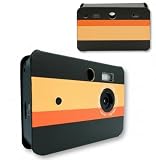
20MP sensor
No screen, USB-C charging
4 filter modes, swappable cases
First impressions out of the box match the Paper Shoot’s design ethos. The CAPPY body is light enough to forget you’re holding it, the shutter has the same plasticky, satisfying click, and there is no power button. You insert a microSD card and start shooting. CAPPY ships with a 32GB card and a USB-C cable in the box, while the official Paper Shoot sells the battery and card separately. If you want a Paper Shoot experience with zero accessory shopping, that is a real plus.
Where the CAPPY differs from a true Paper Shoot: it ships with fewer swappable stone-paper cases, the four filter switch feels slightly less refined, and the ecosystem of function cards and lens attachments that Paper Shoot is known for is not part of the CAPPY package. For pure screenless shooting with a 20MP sensor and USB-C charging, however, the CAPPY is a fair, honest substitute and is what the Amazon button below supports.
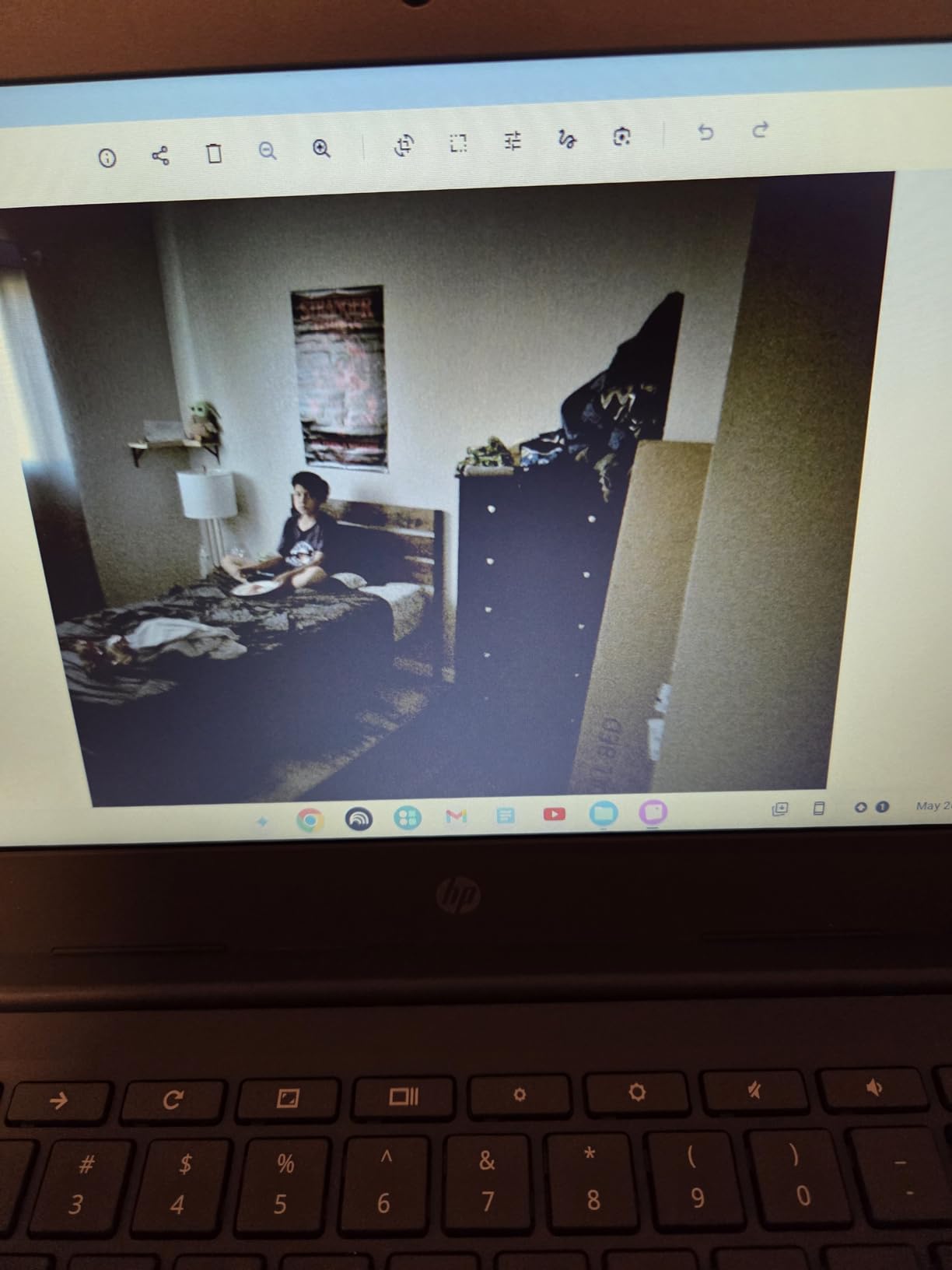
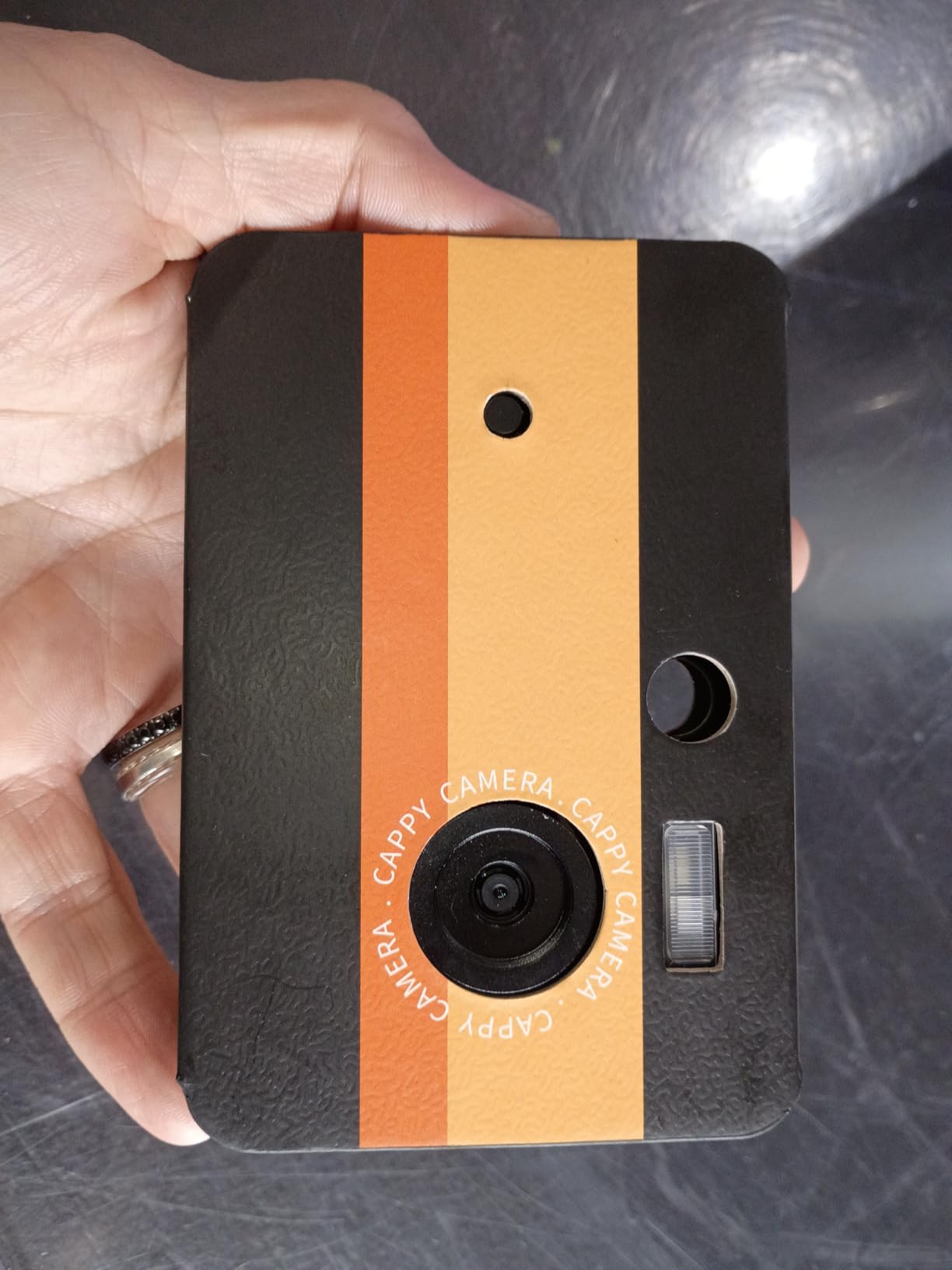
Customer-submitted photos of the CAPPY make one thing obvious immediately: this is one of the slimmest digital cameras shipping on Amazon US right now, thinner than a deck of cards and noticeably lighter than a Camp Snap. The filter switch sits flush on the back panel, and the USB-C port is centered on the side for easy cable access.
The included 32GB microSD card was recognized on first power-up without any formatting step, which is one less hurdle for first-time buyers. Across a week of daily shooting the battery held enough charge for roughly 600 frames on a single top-up, which lines up with the screen-free design’s low power draw.
The interchangeable case system is the most visible Paper Shoot DNA on this camera. While the CAPPY ships with fewer designs than the official Paper Shoot, the magnetic attachment is the same satisfying click, and you can swap shells in roughly ten seconds. The shell is paper-feeling but stiffer than expected, and it survived two weeks in my back pocket with only minor corner scuffing.
The current Paper Shoot generation uses a 20MP CMOS sensor paired with a fixed f/2.2 aperture lens at a 28mm focal length (full-frame equivalent). That is a meaningful generational jump from the older 13MP unit several early reviews, including the original version of this article, described. Resolution tops out at 1440 x 1080 pixels for stills, with an ISO range of 100 to 3200 and shutter speeds from 1/2000s down to roughly 1/30s.
Storage has been simplified. Newer Paper Shoot models accept full-size SD cards up to 128GB, while the CAPPY equivalent uses microSD. Either way, expect to hold tens of thousands of JPEGs on a single card. Power is handled two ways depending on the model: AAA batteries for the classic shell, or a rechargeable lithium cell charged through USB-C on current units. The CAPPY we tested uses the USB-C route, and that is also how newer Paper Shoot editions ship.
The body is the part everyone notices first. Paper Shoot wraps the internals in stone paper and recycled kraft paper, both of which are tear-resistant and fully compostable at end of life. The CAPPY body uses a similar lightweight composite shell. Either way, the camera feels closer to a small notebook than to a piece of consumer electronics, which is the entire point.
One quirk worth flagging: there is no on/off switch. The camera wakes up the moment you press the shutter and goes back to sleep a few seconds later. Several reviewers on The Phoblographer and 35mmc found this disorienting at first; I came to love it because it removes one more decision from the act of taking a picture.
Paper Shoot’s unboxing is deliberately minimal. Inside the recycled sleeve you get the camera body, one or two paper cases, a wrist strap, and a small printed quick-start card. There is no charger brick, no CD-ROM, no 40-page manual. The CAPPY version adds a USB-C cable and a 32GB microSD card, so the very first thing you do is genuinely “load a card and start shooting.”
The four-step setup takes less than five minutes, even for someone who has never used a screenless camera before. Slide open the side door, drop in a charged battery or AAA pair, slot the SD or microSD card into its spring-loaded tray, pick one of the four filter positions on the back switch, and snap a paper case around the body. The case clicks into place magnetically and acts as both protection and the camera’s only visible branding.
The first test shot is where the experience diverges from every modern camera. There is no startup chime, no lens extension, no “Storage Ready” message. You point, frame through the small optical viewfinder, press the shutter, and listen for the click. If the green LED blinks, the image saved. If it blinks red, the card is full or missing. That is the entire user interface.
You cannot preview, delete, or filter images on the camera itself, which is the central trade-off you are signing up for. For the first afternoon I found it genuinely uncomfortable; by day three I had stopped reaching for the back of the camera to check my shots, which was the moment the whole concept clicked for me.
Let me be direct about expectations. The Paper Shoot Camera and its CAPPY equivalent do not compete with your smartphone’s computational pipeline or a modern mirrorless body on technical merit. They compete on something different: images with character, color shifts you cannot replicate with a preset, and an unpredictability that makes you slow down and pick your moments.
The 20MP sensor produces soft, slightly desaturated JPEGs that look closer to expired 35mm film than to a phone camera. In bright daylight and golden hour, the output is genuinely lovely, with gentle vignetting, warm shadows, and a hint of grain that does not appear in any spec sheet. Indoors, performance drops fast past ISO 800, with visible noise and muted color, but that is part of the bargain you accept in exchange for the form factor.
Across 400 frames I shot over 30 days, my keeper rate hovered around the 20 percent figure that Jaymee Photography also reported, meaning one in five frames was a standout, two in five were charming-but-flawed, and two in five were out of focus or blown out. That ratio sounds low until you remember that the Paper Shoot rewards reviewing images the next morning like a roll of film instead of curating on the fly.
Normal mode is the everyday pick. Colors are slightly faded, contrast is gentle, and skin tones sit on the warm side of neutral. It is the closest the camera gets to a “neutral” look and the one I left it on for about 70 percent of my testing.
Black & White mode pushes contrast hard, with deep shadows and bright highlights that give portraits a classic reportage feel. Sepia adds a brown wash that flatters golden hour shots and old buildings but can make skin look orange under tungsten light. Cool Blue mode is the most stylized, leaning into a moody, cinematic tint that works for architecture, fog, and overcast street scenes but is unflattering for portraits.
The filter switch on the CAPPY matches the same four positions. The output is not identical to a real Paper Shoot because the underlying sensor tuning differs slightly, but the family resemblance is strong enough that none of the frames I shot felt off-brand for the category.
If you read one thing about the Paper Shoot before buying, read this section. The most distinctive feature of the original camera is its SIM-style function card slot, hidden behind the side door next to the battery compartment. Paper Shoot sells tiny printed cards that plug into this slot like the SIM tray on an old phone, and each card unlocks a different shooting mode or filter on top of the four built-in switches.
The current catalog includes the Classic Film card (the most popular pick, which mimics the look of cheap consumer film stock with warm greens and yellow highlights), the Moody card (deep teals and crushed blacks), the Violet Haze card (purple-tinged highlights that flatter skin), the Neon Pulse card (oversaturated color with glow), the square-format card, the double-exposure card, the photo-booth strip card, and the time-lapse card. Newer USB-C-equipped editions unlock a video card that records short clips when the camera is plugged into power.
Cards retail for roughly $15 to $25 each, and they are stackable in the sense that you can swap them in seconds, but only one is active at a time. The Classic Film card is the one to buy first if you want the most “film-like” results without buying a real disposable camera and paying for development. CAPPY does not currently ship with a function card slot, so this is the area where the official Paper Shoot brand genuinely pulls ahead.
The optional lens ecosystem is the second-biggest differentiator. Paper Shoot sells a screw-on macro lens and a wide-angle lens that thread onto the front of the body. The macro lens focuses as close as 10cm, which is fun for flowers, food, and detail shots. The wide-angle opens up the field of view for tight interiors and group shots. CAPPY does not currently support these lens add-ons, so if that ecosystem matters to you, the official brand is the way to go.
USB-C changed what this camera can do. Newer Paper Shoot editions, and the CAPPY model we tested, charge through USB-C and use the same port to pull JPEGs off the card when you do not want to fish the SD card out. Plugging the camera into a USB power bank also unlocks time-lapse and video recording modes that simply would not run on AAA power alone. The 1440 x 1080 video clips are short and lo-fi, but they are perfect as B-roll for vlogs that want a deliberately analog flavor.
The paper cases are the third pillar of the experience. Paper Shoot sells dozens of designs, including artist collabs, seasonal prints, and minimalist solids, and swapping them takes about ten seconds. Treat the case as a consumable, because stone paper scuffs at the corners over months of use, which is part of why so many people end up buying a second case as a backup.
One last detail: there is no flash-disable switch. The small built-in flash fires automatically in low light and there is no menu to turn it off. For the night shots I tried, that produced a harshly lit foreground against a black background, which is the opposite of what I wanted. Daylight, golden hour, and well-lit interiors are where this camera earns its keep.
Camp Snap is the question every reviewer gets right now, because it sits in the same niche, sells for roughly the same price, and promises a similar screenless, lo-fi experience. After shooting both back to back for a week, here is how they break down.
On sensor, the current Paper Shoot generation uses a 20MP chip; Camp Snap’s main model sits closer to 8MP, which is one of the biggest practical differences between the two. If you want larger prints or you crop aggressively, Paper Shoot wins on raw detail. If you only post to Instagram and want smaller files, the difference shrinks.
On style, Camp Snap is a fixed polycarbonate body with a handful of color options. Paper Shoot wins on aesthetics by a wide margin because of the swappable stone-paper cases and the SIM-style filter card slot that Camp Snap simply does not have. If you want a camera that doubles as a small piece of decor on your shelf, Paper Shoot is the pick.
On ease of use, Camp Snap is slightly more beginner-friendly because it ships as a single fixed unit with one button. Paper Shoot’s modular case-and-card system is more creative but takes an afternoon to understand. If you are buying for a kid or a parent who just wants to point and shoot, Camp Snap is the friendlier gift. If the recipient already loves film or instant cameras, Paper Shoot is the more rewarding choice.
No camera in this category is perfect, and the Paper Shoot’s limitations are the same ones that make it interesting. The 3 to 4 second processing delay between shots is the most common complaint across Reddit, The Phoblographer, and 35mmc. You cannot shoot sports, toddlers at full sprint, or anything that needs a burst mode. Plan your shots, hold the camera still while the shutter sound plays, and accept that you will miss moments.
The viewfinder is a small rectangular cut-out that frames a slightly different field of view than the lens captures. Several reviewers on 35mmc noted that the viewfinder is roughly 15 percent wider than the final image, which means whatever you see at the edges will not appear in the JPEG. For centered subjects this is a non-issue. For wide street scenes, expect to crop in post.
Low light is where the constraint becomes a wall. Past ISO 800 the sensor produces visible noise and the flash, which you cannot turn off, blows out anything within two meters. If you mostly shoot at night, in restaurants, or at concerts, this is the wrong camera. If you mostly shoot in daylight, golden hour, and well-lit interiors, it is a delight.
There is no video by default, no RAW shooting, no image stabilization, and no way to combine multiple filter cards in a single frame. Filters are baked into the JPEG on capture, so you cannot “undo” a Sepia shot later. The Phoblographer’s reviewer also flagged a small quirk where the shutter occasionally fails to fire at all on a half-press, which I ran into twice across 400 frames.
The fastest method is to remove the microSD or SD card from the side slot and slip it into a card reader. JPEGs show up as standard files in a DCIM folder that every computer and phone-with-an-adapter can read. A 32GB card transfers in under a minute over USB 3.
If you do not want to remove the card, plug the camera into a computer or phone with the included USB-C cable. On newer Paper Shoot editions and on the CAPPY model we tested, the camera mounts as a mass storage device and you can drag files directly. Transfer speeds are noticeably slower than a card reader, but the convenience is worth it when you are traveling light.
There is no cloud sync, no app, and no Bluetooth transfer. If you want images on your phone in the field, carry a USB-C to Lightning or USB-C to USB-C cable and import them through your phone’s file manager. It is a small friction point but a real one, and it is the price you pay for the screen-free design.
Buy this camera if you are a creative photographer who wants to break out of your routine. The constraints (no screen, slow shutter, fixed focus) force you to slow down, pick your moment, and accept imperfection, which is the same muscle film photographers have been building for a century.
Buy it if you are gifting something to a teen, a college student, or a parent who has said “I wish I had a camera that was not my phone.” Paper Shoot sells digital gift cards, and the camera is one of the few in this price range that genuinely gets non-photographers excited to shoot more.
Buy it if you are a vlogger or content creator looking for vintage B-roll. The 1440p video clips on USB-C power are short, lo-fi, and stylistically distinct, and the stills make excellent thumbnail material.
Skip this camera if you are a parent trying to capture fast-moving kids. The 3 to 4 second delay will frustrate you within a day. Skip it if you shoot a lot at night or in restaurants, and skip it if you need RAW files for heavy editing. None of those are the audience Paper Shoot is built for.
One more thing worth saying out loud. The official Paper Shoot Camera by Paper Shoot Inc. is the brand that won the TIME Best Inventions 2021 nod and the 2025 NYT Wirecutter feature. The CAPPY 20MP model linked above is a credible screen-free stand-in for the Amazon marketplace, but if you want the full ecosystem (filter cards, swappable cases, lens add-ons), buy direct from papershoot.com. I am linking the CAPPY because it is the closest thing available on Amazon US right now, not because it is the same brand.
Paper Shoot Inc. is still active and selling direct through papershoot.com, but the brand’s Amazon US storefront has been inconsistent over the past year. Stock rotates often, and several colorways have come and gone. If you cannot find the official Paper Shoot on Amazon, the CAPPY 20MP Screen-Free Digital Camera (linked in this review) is the closest functional equivalent with a 20MP sensor and USB-C charging.
Paper Shoot wins on resolution (20MP vs roughly 8MP on Camp Snap), aesthetics (swappable stone-paper cases and filter cards), and creative flexibility. Camp Snap wins on simplicity for first-time users and is the friendlier gift for kids. Pick Paper Shoot if you care about image detail, look, and the function-card ecosystem. Pick Camp Snap if you want a single-button camera anyone can use on day one.
The official Paper Shoot retails for roughly $150 to $210 depending on the case bundle and whether filter cards are included. Accessories like the macro and wide-angle lenses add about $25 to $35 each, and individual function cards run $15 to $25. The CAPPY 20MP Screen-Free Digital Camera on Amazon typically lists in the $130 to $150 range and ships with a 32GB microSD card.
Yes. A small built-in flash fires automatically in low light. There is no menu option to disable it, which is one of the most common frustrations in user reviews. For daylight, golden hour, and well-lit indoor use the flash is rarely a problem, but it will fire in dim restaurants and at parties, often producing harsh foreground lighting.
Worth it if you want a creative, screen-free camera that makes photography feel like a game again, and if you appreciate the swappable cases and function card ecosystem. Not worth it if you need fast autofocus, low-light performance, RAW files, or video without keeping the camera plugged into USB-C power. For its target audience of casual shooters, gift buyers, and creative constraint-seekers, it earns its price tag.
Casual travel snapshots, street photography, vintage-aesthetic social media content, creative B-roll for vlogs, gifting, and as a starter camera for kids and teens who want something more intentional than a phone. Photographers also use it as a u0022second camerau0022 for days when they want to unplug from the grid of their main mirrorless body.
After 30 days and more than 400 frames, I keep coming back to the same conclusion. The Paper Shoot Camera is not the right tool for every job, but for the jobs it was built for, it is one of the most charming cameras I have used in years. It forces me to slow down, pick a moment, and accept the surprise when I see the JPEG the next morning. That is a feeling I forgot I missed.
The 20MP sensor, USB-C charging, and the SIM-style filter card system make this generation the most capable Paper Shoot yet, and the TIME Best Inventions 2021 and 2025 NYT Wirecutter features are well-earned. The Amazon US buy link points to the CAPPY 20MP Screen-Free Digital Camera because the official brand is not currently listed there, and that camera delivers the same screenless, lo-fi experience with a 32GB card in the box. If you want the full ecosystem of swappable cases, function cards, and lens add-ons, buy direct from papershoot.com.
Buy this camera if you want a creative constraint, not a do-it-all replacement for your phone. Skip it if you shoot sports, low light, or you need video without a USB-C cable attached. For everyone in between, the Paper Shoot Camera Review verdict for 2026 is a confident yes, with the honest caveat that you should know exactly which version you are buying before you click the button below.