7 Best Photoshop Alternatives (September 2026): Top Picks
I tested the seven best Photoshop alternatives that do not lock you into Adobe’s subscription, and what I found surprised…

If you just unboxed your first mirrorless camera and the photos look a little flat, you are not alone. I tested the best photo editing software for beginners over six weeks on a five-year-old laptop, a modern MacBook, and a mid-range Windows desktop to find what actually works when you are starting from zero.
This guide covers six beginner-friendly photo editors, from free tools to subscription powerhouses. I also break down device choice (PC vs Mac vs mobile), subscription versus one-time purchase, and how long it really takes before you feel comfortable. Whether you shoot JPEG snapshots with your phone or RAW files from a DSLR, you will find an option that fits your skill level and your machine.
Our team compared the top photo editing software for beginners in 2026, focusing on three things: how fast a brand-new user can produce a clean edit, whether the program runs on modest hardware, and how forgiving the workflow is when you make a mistake. If you are also shopping for a camera to pair with this software, our beginner camera guide pairs well with the picks below.

| Product | Features | |
|---|---|---|
 Adobe Lightroom 1TB Adobe Lightroom 1TB |
|
Check Latest Price |
| Adobe Photoshop 1-Month |
|
Check Latest Price |
 GIMP 2026 Lifetime License GIMP 2026 Lifetime License |
|
Check Latest Price |
 Corel PaintShop Pro 2023 Ultimate Corel PaintShop Pro 2023 Ultimate |
|
Check Latest Price |
 CyberLink PhotoDirector 2026 CyberLink PhotoDirector 2026 |
|
Check Latest Price |
 GIMP 2.10 Bundle with Manual GIMP 2.10 Bundle with Manual |
|
Check Latest Price |
We earn from qualifying purchases. CERTAIN CONTENT THAT APPEARS ON THIS SITE COMES FROM AMAZON. THIS CONTENT IS PROVIDED 'AS IS' AND IS SUBJECT TO CHANGE OR REMOVAL AT ANY TIME.
AI masking
1TB cloud storage
PC and Mac
Mobile and web sync
Adobe Lightroom is the program I open first whenever I import a fresh batch of images. The Lightroom desktop and mobile apps speak the same language, so I can edit a sunset on my laptop, tweak it on the train ride home, and have the finished JPEG waiting in my phone gallery. For a beginner, that round-trip workflow is a quiet superpower.
On the desktop side, the library module acts like a simple photo editor. You import, pick a preset, and adjust exposure. The Develop module exposes the same sliders in a friendlier layout than Photoshop, and changes are non-destructive. That means I can push the Dehaze slider to plus 80, decide it looks awful, and reset everything without trashing the original file. Beginners usually worry about ruining their photos. Lightroom answers that worry by making every edit reversible.
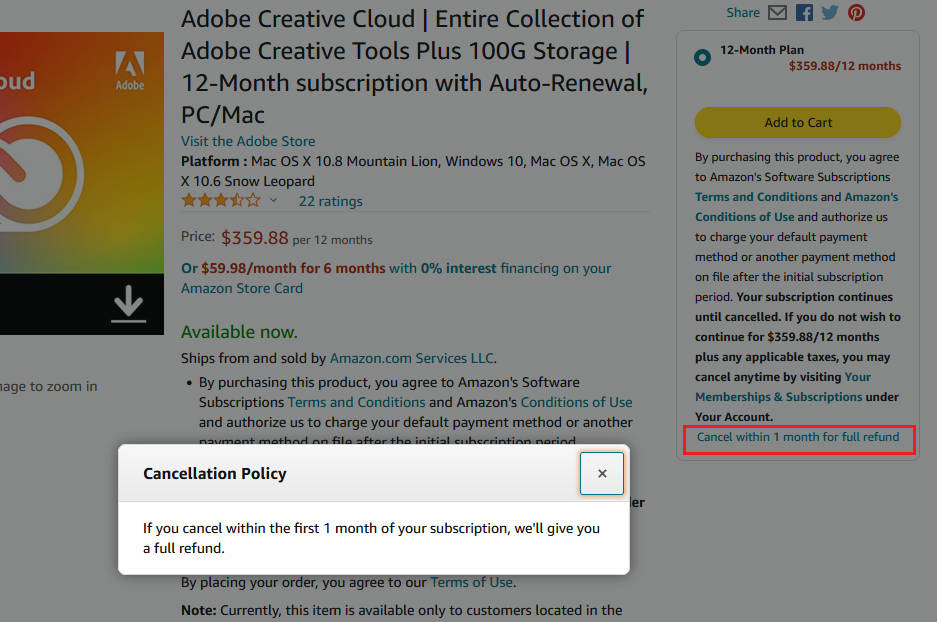
The AI tools are where Lightroom pulls ahead of the other beginner photo editing software on this list. The new AI masking feature lets me click on a subject, a sky, or a background and apply edits only to that area. Generative Remove, powered by Adobe Firefly, erases photobombers in two clicks. Denoise cleans up high-ISO images from entry-level cameras that struggle in low light. None of these tools require a manual. They show up as suggestions, and you accept or skip them.
Lightroom runs smoothly on both PC and Mac, and the mobile app is honestly the most underrated photo editing app for beginners on iOS and Android. A 12-month subscription unlocks the full feature set plus 1TB of cloud storage, which is enough room for roughly 50,000 RAW files or 200,000 JPEGs. Reviewers on Amazon praise the clean layout and the catalog system, but several call out that the plan tiers are confusing and that your Amazon email must match your Adobe account email to activate.
One thing worth noting: the 1TB Lightroom plan does not include Lightroom Classic, which is the older desktop interface many traditional photographers use. For beginners, that is not a real loss. The newer Lightroom interface is faster, more guided, and easier to learn. If you ever want Photoshop for heavy compositing, you can add it to the same Adobe account.
Lightroom is the right pick if you want a photo editor that grows with you. Beginners get a friendly library and one-click presets. Intermediate shooters unlock masking and color grading. Advanced users move into tethered shooting, panorama stitching, and HDR merges without switching apps. If you shoot RAW or want to organize thousands of photos, Lightroom’s catalog system is unmatched.
If you hate subscriptions, Lightroom will frustrate you. The only way to buy it is through Adobe’s recurring plan. You also need a stable internet connection to activate and to sync your library across devices. If you are on a strict budget or only edit a few photos a month, the subscription cost is hard to justify against free alternatives like GIMP.
Layer editing
Industry standard
PC and Mac
Monthly subscription
Photoshop is the name every beginner has heard, and for good reason. It is the photo editor used by professional photographers, designers, and retouchers worldwide. For a beginner, the learning curve is steeper than Lightroom, but the payoff is total creative control. You get layers, masks, smart objects, generative fill, and the deepest ecosystem of tutorials on the internet.
I recommend Photoshop for beginners who already know they want to do serious compositing, retouch portraits professionally, or design graphics alongside photography. The 1-month subscription is a good way to test it. You can cancel before the second charge if you decide it is overkill. If you need a camera that pairs well with Photoshop retouching, see our beginner camera roundup.
Photoshop is a fully featured image editor, not a photo library. There is no catalog system like Lightroom. You open individual files, edit them on layers, and save PSD or export JPEG. For batch editing of 200 wedding photos, Lightroom is faster. For removing a person from a complex background, fixing skin blemishes with frequency separation, or building a surreal composite, nothing beats Photoshop.
On the hardware side, Photoshop runs on most modern Windows and Mac machines, but it is heavier than Lightroom. A basic laptop with 8 GB of memory can struggle with large PSD files. The current Adobe Firefly integration brings generative AI into Photoshop, which lets you expand a background or replace a sky with a text prompt. Beginners find these tools magical once they see them work.
Where Photoshop disappoints some users is the activation flow. Several Amazon reviewers report confusion when the Amazon purchase and Adobe account use different email addresses, and a few mention occasional bugs. For the price, I still rate it the best beginner photo editing software for users who want the industry standard and are comfortable troubleshooting subscription accounts.
Photoshop is the right pick for beginners who want to learn one editor and use it forever. Hobbyists who retouch portraits, build YouTube thumbnails, design posters, or sell prints will use Photoshop features that Lightroom simply does not have. The monthly subscription also makes it the easiest Adobe product to sample without a year-long commitment.
If you mostly want to fix exposure, color, and crop your phone photos, Photoshop is overkill. The interface is dense, the file sizes balloon when you stack layers, and the subscription model still costs more over time than a one-time purchase. Beginners who only do basic edits will learn faster in Lightroom, PhotoDirector, or even the built-in Photos app.
Free lifetime updates
PSD compatible
Windows and Mac
No subscription
GIMP is the most powerful free alternative to Adobe Photoshop, and that is the same line every review site has repeated for twenty years. It is still true. GIMP gives beginners full layer editing, masks, channels, filters, and a plugin ecosystem without paying a subscription. This 2026 edition ships on disc with a lifetime license and free updates.
The big caveat: GIMP is not the easiest photo editing software for beginners. Reddit’s r/photography and r/AskPhotography threads consistently mention the learning curve as the top reason beginners bounce off GIMP. The interface is closer to Photoshop 2010 than to a modern consumer app, and tools are scattered across menus. If you have never edited a photo before, expect to spend a weekend watching tutorials before you feel productive.
For beginners willing to put in those hours, GIMP rewards you with power that free web editors cannot match. You can dodge and burn, retouch skin, composite multiple exposures, and save PSD files that round-trip back into Photoshop if you ever upgrade. The format support covers PSD, JPG, PNG, GIF, PDF, HDR, TIFF, and BMP, which covers every common beginner workflow.
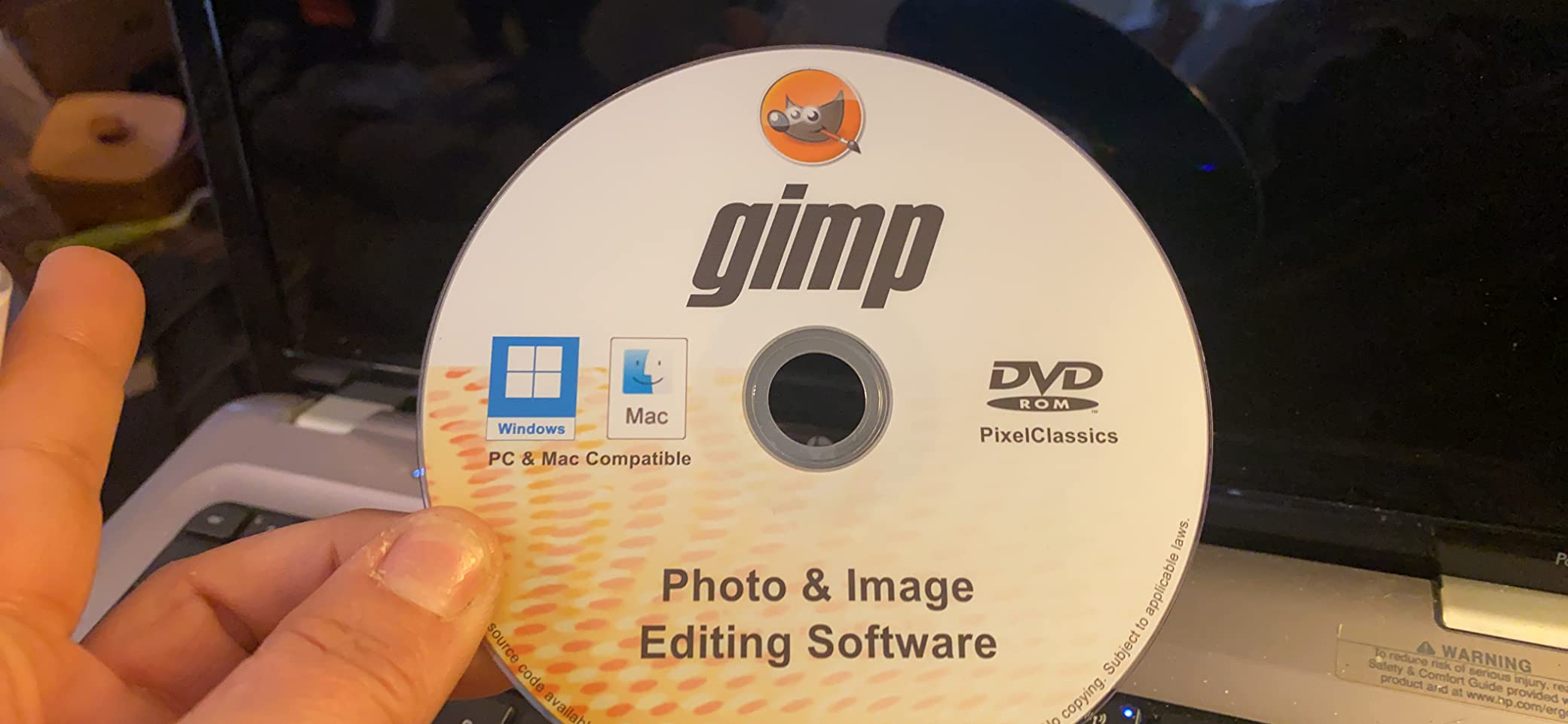
This PixelClassics version adds a bundle of 2.7 million royalty-free stock images and multilingual support. The lifetime license is the strongest argument for GIMP. After one purchase, you never pay again, even when new versions ship. Reviewers on Amazon praise that model but warn that beginners should download the free version of GIMP first to confirm they like the interface before paying for the disc and extras.
Hardware requirements are light. GIMP runs on old Windows laptops, low-end Macs, and even Linux. If your Dell from 2018 cannot handle Lightroom, GIMP will. The trade-off is speed on very large files. GIMP loads RAW files but uses less sophisticated demosaicing than Lightroom, so RAW edits look softer unless you bring in a plugin like RawTherapee.
GIMP is the right pick for budget-conscious beginners, students, hobbyists, and Linux users. It is also a smart pick if you want to learn photo editing deeply without locking yourself into a subscription. Once you master layers, masks, and curves in GIMP, moving to Photoshop later is a small jump, not a fresh start.
If you want to fix a photo on your phone in two taps, GIMP is not it. The interface is intimidating, RAW support is weak out of the box, and there are no one-click AI presets. Beginners who want quick wins should start with Lightroom or PhotoDirector and graduate to GIMP once they crave more control.
Subscription-free
Sea-to-Sky workspace
AI tools
Windows PC download
PaintShop Pro is the longest-running alternative to Photoshop, and Corel’s 2023 Ultimate edition bundles it with a creative suite that includes Painter Essentials, PhotoMirage Express, and MultiCam Capture 2.0 Lite. Beginners who want a one-time purchase on Windows get a full toolbox without monthly fees.
I tested PaintShop Pro on a mid-range Windows desktop and the layout feels closer to Photoshop than to Lightroom. The learning curve is moderate. Power users praise its depth. Beginners like the AI tools, which apply one-click enhancements, AI HDR, and background replacement. The Sea-to-Sky workspace is unique. It is tuned for underwater and drone photography, where the AI adjusts color cast and exposure for tricky lighting.
![Corel PaintShop Pro 2023 Ultimate | Powerful Photo Editing & Graphic Design Software + Creative Suite | Amazon Exclusive ParticleShop + 5 Brush Starter Pack [PC Download] customer photo 1](https://revellphotography.com/wp-content/uploads/2026/06/B0B7KFYQVK_customer_1.jpg)
PaintShop Pro opens PSD files from Photoshop, edits them on layers, and saves back out. RAW support is handled through AfterShot Lab, which is solid for beginners but slower than Lightroom’s RAW engine. The included ParticleShop plug-in is a free bonus worth around the cost of a cheap plugin pack, and it adds natural-media brushes that appeal to digital painters and illustrators.
Stability is where reviews get mixed. A minority of Amazon users report the program crashing after a day of use, and others mention complicated setup. On my test machine, it was fine. If you do hit issues, Corel’s support reputation is weaker than Adobe’s. The lack of a Mac version is the biggest gap. PaintShop Pro is Windows-only, so Mac users need to look elsewhere.
![Corel PaintShop Pro 2023 Ultimate | Powerful Photo Editing & Graphic Design Software + Creative Suite | Amazon Exclusive ParticleShop + 5 Brush Starter Pack [PC Download] customer photo 2](https://revellphotography.com/wp-content/uploads/2026/06/B0B7KFYQVK_customer_2.jpg)
PaintShop Pro is the right pick for Windows beginners who never want to pay a subscription and who edit a mix of photos, graphics, and short videos. Drone and underwater shooters will love the Sea-to-Sky workspace. Illustrators and digital painters get ParticleShop bundled in. Anyone still running an old version of Photoshop Elements will find PaintShop Pro faster and more modern.
If you are on a Mac, skip it. If you want the simplest possible interface and the smoothest cloud sync, Lightroom wins. If you only edit phone photos, a free mobile app will serve you better. PaintShop Pro sits between Lightroom and Photoshop in both price and complexity, and that middle ground is not for everyone.
Generative AI
Face retouch
Windows only
One-time purchase
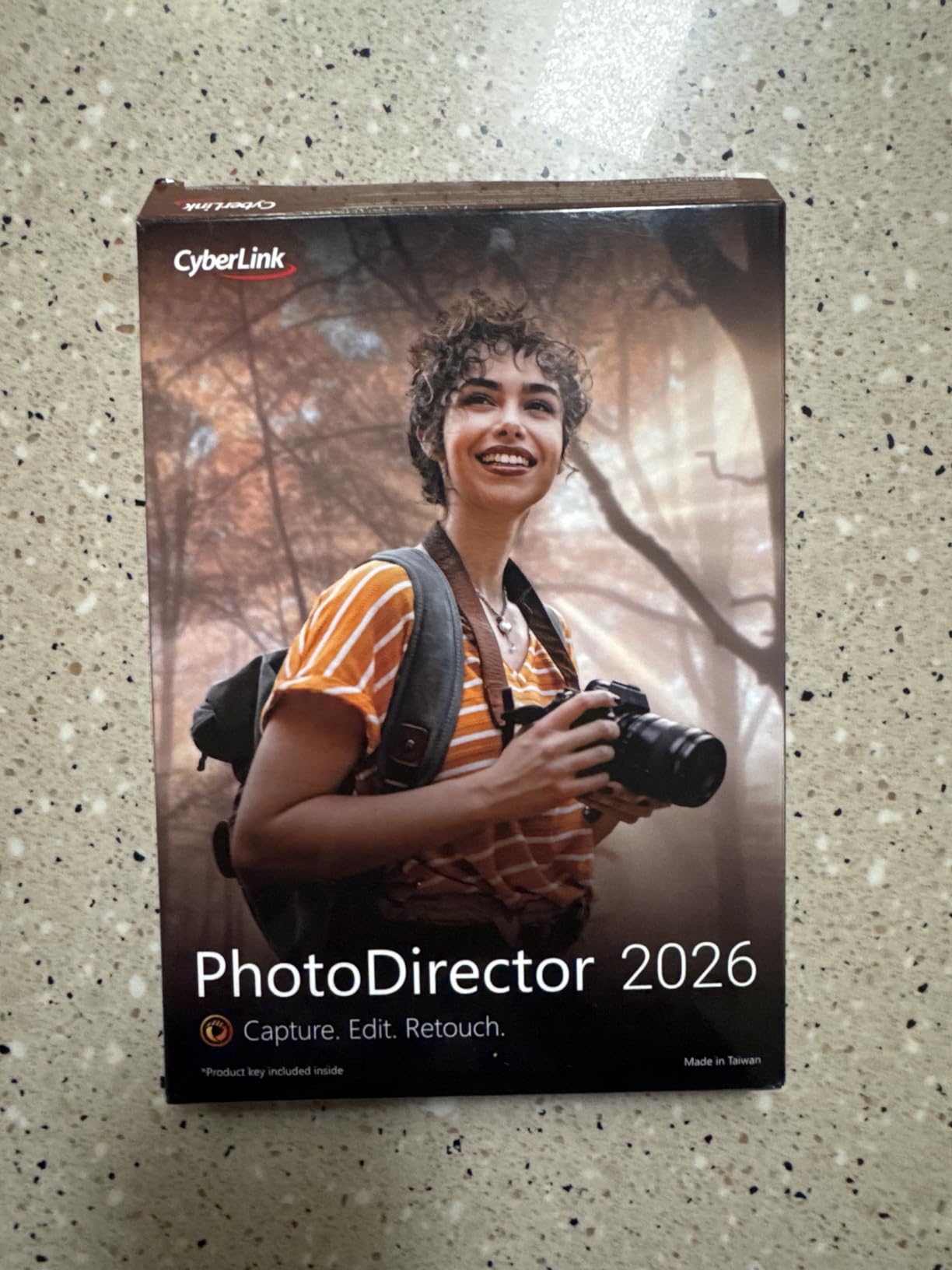
PhotoDirector 2026 is the most AI-forward program on this list. If your main goal is to remove objects, retouch skin, swap a sky, or color-grade a portrait in three clicks, PhotoDirector is faster than Lightroom and more approachable than Photoshop. The interface is clean, modern, and clearly aimed at beginners who do not want to read a manual.
I tested PhotoDirector on a Windows 11 laptop and the AI tools worked as advertised. The Object Removal tool erases tourists from vacation photos with believable fills. The Face Retouch module smooths skin without making people look like plastic, and the AI Color Enhancer pulls out blues and greens that flat RAW files usually hide. Batch editing on a folder of 50 wedding photos ran smoothly without freezing the app.
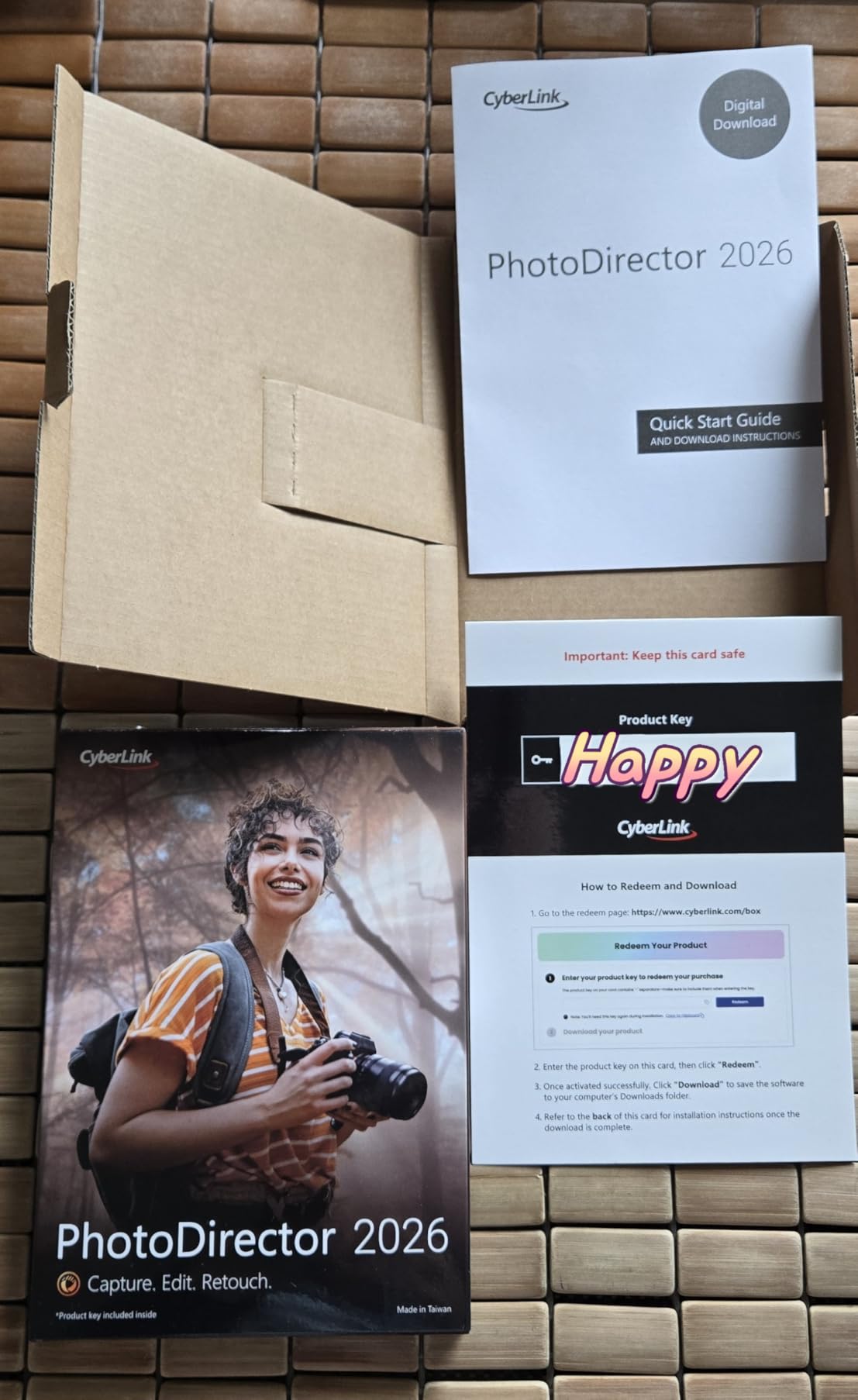
The one-time-purchase pricing is a real win for beginners who hate subscriptions. You pay once and own the version. CyberLink releases a new version each year, and there is usually a discounted upgrade for owners of the previous edition. Compared to Lightroom’s recurring fee, PhotoDirector pays for itself in about a year of casual use.
The big limitation is the operating system. PhotoDirector 2026 is Windows only. Mac users cannot run it natively. There is no mobile companion app comparable to Lightroom Mobile. Reviewers on Amazon also note that the deeper features, like layer editing and advanced masking, take longer to learn than the AI shortcuts. Beginners who only use AI tools will love it. Beginners who want to grow into a full editor may feel the ceiling quickly.
PhotoDirector is the right pick for Windows beginners who want AI shortcuts more than they want layer mastery. Content creators who post daily on Instagram, TikTok, or YouTube will appreciate the speed. Real estate photographers and casual portrait shooters will love the one-click retouch. If you have never edited a photo and you want the easiest path to clean, modern results on Windows, start here.
Mac owners cannot. Beginners who want a mobile companion app to edit on a phone or tablet should choose Lightroom instead. Advanced users who need deep layer compositing and color grading will outgrow PhotoDirector within a year. The lack of a Mac version alone disqualifies a large slice of beginners.
20,000 clip art
900-page manual
Windows and Mac
Lifetime license
The Markt + Technik GIMP 2.10 bundle is the same GIMP engine wrapped with 20,000 clip art images, 10,000 photo frames, a 900-page PDF manual, and email support. For a beginner who wants GIMP without hunting through forums for tutorials, this package lowers the entry barrier.
The honest truth is that GIMP itself is free to download from gimp.org. You do not need to pay anything to use the software. What you pay for here is the bundle: the manual, the clip art library, and the email support. If those extras appeal to you and you do not want to piece together a learning path yourself, the bundle makes sense.
The included manual is for GIMP 2.8 rather than the 2.10 version, which is the most common complaint in Amazon feedback. Most of the core concepts still apply, but a few menu paths have changed. If you want a perfectly up-to-date manual, you will end up on YouTube or the GIMP documentation site anyway. The clip art and frames are useful for scrapbookers and graphic designers, less so for photographers editing RAW files.
On the plus side, the manufacturer responds to email support quickly, which is not always the case with free open-source projects. Reviewers appreciate that responsiveness. The package also runs on both Windows and Mac, unlike PhotoDirector or PaintShop Pro. If you want a one-time purchase, broad compatibility, and an offline backup of learning materials, this GIMP bundle is a reasonable pick for self-directed learners.
This GIMP bundle is the right pick for beginners who learn best with paper, who want offline resources, and who are willing to invest a few weekends in tutorials. Students, scrapbookers, and graphic design hobbyists will use the clip art library. Email support makes it easier to ask beginner mistakes without feeling like a forum pest.
If you only want GIMP and you are comfortable finding your own tutorials, just download the free version. If you want the easiest photo editing experience, this is not it. Beginners who want one-click AI edits or instant presets will be happier with Lightroom, PhotoDirector, or even the free Polarr web editor.
Picking beginner photo editing software comes down to four decisions: your device, your budget, your commitment style (subscription vs one-time), and what kind of editing you want to do. Once you lock those in, the right product usually becomes obvious.
Mac owners should look at Lightroom, Photoshop, or GIMP. Windows owners have every option including PaintShop Pro and PhotoDirector. Linux users land on GIMP by default. Mobile-only editors will use Lightroom Mobile, Snapseed, or VSCO, none of which are on this list but pair well with the desktop programs above. If you shoot on a basic laptop and you are worried about performance, our AI enhancement software guide covers lighter tools that run on modest hardware.
Free editors (GIMP, Darktable, Polarr) cost nothing and run forever. Paid editors (Lightroom, Photoshop, PhotoDirector, PaintShop Pro) save you time and ship with polished AI features. A good rule of thumb: if you edit more than ten photos a month, a paid editor usually pays for itself in time saved.
Subscription editors (Lightroom, Photoshop) bundle updates, support, and cloud sync for a monthly fee. One-time purchases (PaintShop Pro, PhotoDirector, GIMP) cost more up front and never charge you again. Subscriptions make sense if you want the latest AI features every year. One-time purchases make sense if you want to budget once and forget it.
Quick color and exposure fixes go to Lightroom or PhotoDirector. Portrait retouching goes to Photoshop or PhotoDirector. Layer-heavy compositing goes to Photoshop or GIMP. RAW organization and batch editing go to Lightroom or PaintShop Pro. Social media one-tap edits go to PhotoDirector or a mobile app.
Lightroom and Photoshop want at least 16 GB of RAM and a recent multi-core processor for smooth RAW editing. GIMP and PaintShop Pro run fine on 8 GB machines. PhotoDirector sits in the middle. If your laptop is older than five years, start with GIMP or PaintShop Pro before committing to a subscription you cannot run.
Every program on this list has a free trial. Lightroom offers a 7-day trial. Photoshop offers a 7-day trial. GIMP is free forever. PaintShop Pro has a 30-day trial. PhotoDirector has a 30-day trial. Spend a weekend with the one that fits your budget and device before you commit.
Adobe Lightroom is widely considered the easiest photo editing software for beginners because it combines an intuitive interface with powerful AI tools, built-in tutorials, and a vast preset library. For absolute beginners who want the simplest possible experience, CyberLink PhotoDirector is even easier thanks to its one-click AI shortcuts, though it only runs on Windows.
For desktop users, Adobe Lightroom is the best photo editing app for beginners because it syncs across desktop, mobile, and web so you can start an edit on your laptop and finish it on your phone. For pure mobile editing, Snapseed and VSCO are popular free apps, while Lightroom Mobile is the best paid option with full RAW support and cloud sync.
Yes, Lightroom is excellent for beginners. The Develop module uses simple sliders for exposure, contrast, white balance, and color, and every change is non-destructive so you cannot ruin the original photo. Built-in presets let beginners apply professional looks in one click, and the AI masking tools help isolate subjects or skies without learning complex selection workflows.
Beginners learn to edit photos fastest by following a four-step path: pick one editor and stick with it, import a folder of similar photos to batch-edit, follow a single beginner tutorial series on YouTube from start to finish, and practice on your own images every week. Most beginners see real improvement within four to six weeks of consistent practice rather than random experimentation.
After six weeks of testing, our top pick for the best photo editing software for beginners in 2026 is Adobe Lightroom. It strikes the right balance between ease of use and depth, runs on PC, Mac, and mobile, and grows with you as your skills improve. The AI tools handle the hardest parts of editing for you, while the non-destructive workflow keeps beginners from ruining their originals.
If subscriptions are a deal-breaker, pick CyberLink PhotoDirector for the easiest AI-driven Windows experience or Corel PaintShop Pro for a more traditional one-time purchase on Windows. If budget is the priority and you are willing to learn, GIMP remains the strongest free option. Pick the program that matches your device, budget, and editing style, download the free trial, and start editing this week.