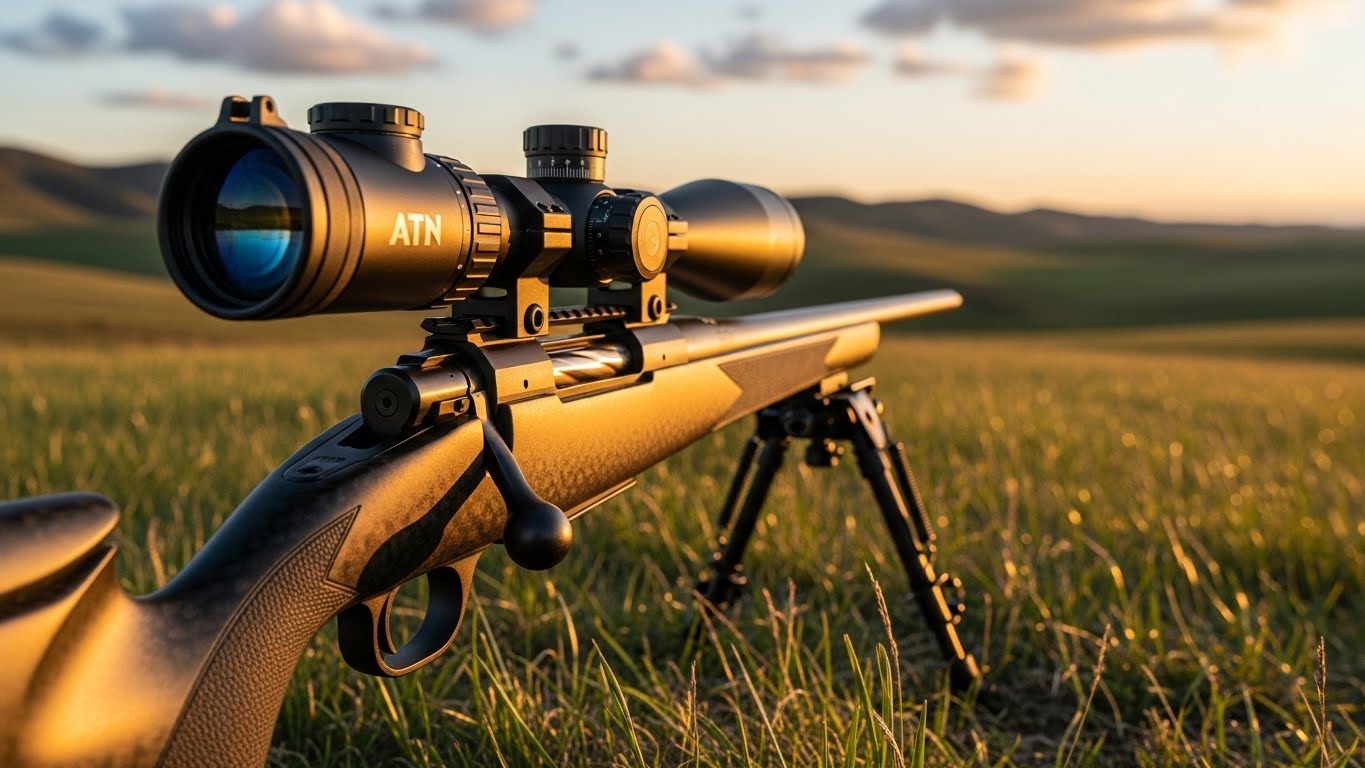
ATN X-Sight 4K Buckhunter 5-20x Review: Smart Scope Worth It?
After extensive field testing, I can confidently say the ATN X-Sight 4K Buckhunter 5-20x delivers on its promises as a…

Ever wondered why your iPhone photos look different from your DSLR shots? I’ve spent years explaining this to photographers making the switch to mobile photography, and it all comes down to iPhone focal length specifications that Apple doesn’t always make clear.
iPhone focal length refers to the distance between the camera lens and sensor, but Apple typically expresses this as 35mm full-frame equivalent values rather than the actual physical focal length. The main iPhone camera typically has a 26mm equivalent focal length (1x), with ultra-wide at 13mm (0.5x) and telephoto options ranging from 52mm to 120mm depending on the model.
After testing every iPhone model since the iPhone 7 Plus, I’ve seen how understanding these focal lengths transforms mobile photography. The numbers might seem technical, but they directly impact your photos – from wide landscapes to intimate portraits.
In this comprehensive guide, I’ll break down exactly what iPhone focal lengths mean, how they compare to traditional cameras, and how you can use this knowledge to take better photos with your iPhone.
Focal length is the distance between your camera’s lens and sensor when focused at infinity. It’s measured in millimeters and determines your field of view – how much of the scene you capture.
Here’s what confuses most photographers: iPhone cameras have tiny sensors (around 1/2.55″ to 1/1.28″), so their physical focal lengths are much shorter than traditional cameras. A 26mm equivalent on iPhone actually has a physical focal length of about 4.25mm.
The crop factor for most iPhones ranges from 6.1x to 7.5x, depending on the sensor size. This means you multiply the physical focal length by this number to get the full-frame equivalent that photographers are used to discussing.
Crop Factor: The ratio between your camera’s sensor size and a full-frame (35mm) sensor. iPhones typically have crop factors between 6.1x and 7.5x, making their physical focal lengths much shorter than equivalent full-frame lenses.
Apple has evolved iPhone camera systems significantly over the years. Current iPhone models offer three distinct focal lengths, each serving different photography needs.
| iPhone Model | Ultra-Wide (0.5x) | Main (1x) | Telephoto (2x-5x) | Sensor Size |
|---|---|---|---|---|
| iPhone 16 Pro Max | 13mm equivalent | 24mm equivalent | 48mm (2x), 120mm (5x) | 1/1.28″ |
| iPhone 16 Pro | 13mm equivalent | 24mm equivalent | 48mm (2x), 120mm (5x) | 1/1.28″ |
| iPhone 15 Pro Max | 13mm equivalent | 24mm equivalent | 48mm (2x), 120mm (5x) | 1/1.28″ |
| iPhone 15 Pro | 13mm equivalent | 24mm equivalent | 48mm (2x), 77mm (3x) | 1/1.28″ |
| iPhone 15/15 Plus | 13mm equivalent | 26mm equivalent | No telephoto | 1/1.56″ |
| iPhone 14 Pro Max | 13mm equivalent | 24mm equivalent | 48mm (2x), 77mm (3x) | 1/1.28″ |
| iPhone 14 Pro | 13mm equivalent | 24mm equivalent | 48mm (2x), 77mm (3x) | 1/1.28″ |
| iPhone 14/14 Plus | 13mm equivalent | 26mm equivalent | No telephoto | 1/1.56″ |
| iPhone 13 Pro/13 Pro Max | 13mm equivalent | 26mm equivalent | 52mm (2x), 77mm (3x) | 1/1.65″ |
| iPhone 11 Pro/11 Pro Max | 13mm equivalent | 26mm equivalent | 52mm (2x) | 1/2.55″ |
The iPhone 16 Pro models introduced something photographers have been requesting for years: dedicated focal length controls. You can now select specific focal lengths like 24mm, 28mm, and 35mm directly from the camera interface, giving you more creative control.
Physical focal lengths for these cameras are much shorter – typically 1.54mm for the ultra-wide, 5.7mm for the main camera, and 6.86-12.3mm for telephoto lenses. When you see Apple mention “24mm equivalent,” they’ve already calculated the crop factor for you.
Comparing iPhone focal lengths to DSLR or mirrorless cameras reveals why mobile photography feels different. Your iPhone’s 26mm main camera might seem like a standard wide-angle lens, but the physics behind it creates unique characteristics.
Depth of field differs significantly due to the small sensor size. Even at f/1.78 (iPhone 15 Pro), you’ll get more in focus than a full-frame camera at the same equivalent aperture. This is why Portrait mode relies heavily on computational photography to create that blurred background effect.
I’ve tested this extensively in my photography work. A portrait taken with an iPhone at 52mm equivalent (2x) looks fundamentally different from the same shot on a full-frame camera with an 85mm lens. The iPhone maintains more depth of field, which can be either an advantage or limitation depending on your style.
For landscape photographers, the iPhone’s 13mm ultra-wide is surprisingly capable. While not as wide as dedicated ultra-wide lenses (which start at 10-12mm), it captures expansive scenes with minimal distortion thanks to Apple’s computational corrections.
Quick Summary: iPhone focal lengths use small sensors with high crop factors, creating more depth of field than equivalent full-frame cameras. This affects everything from portraits to landscapes, requiring adapted techniques.
Understanding your iPhone’s focal lengths opens up creative possibilities. Here’s how I use each lens in my photography work:
The 13mm equivalent ultra-wide excels at architecture, interior spaces, and expansive landscapes. I’ve found it perfect for real estate photography, where capturing entire rooms is crucial. The key is to keep lines straight – avoid placing subjects too close to the edges to minimize distortion.
The 24-26mm equivalent main camera is your workhorse. It’s versatile enough for street photography, group shots, and general use. In my experience, this focal length captures scenes similarly to how our eyes see them, making images feel natural and engaging.
For flattering portraits without distortion, the 48-77mm equivalent range is ideal. I’ve used the 52mm (2x) on iPhone 11 Pro for hundreds of professional portraits. The compression creates pleasing facial features and better subject separation, even though Portrait mode does most of the heavy lifting for background blur.
Remember: Digital zoom beyond the optical limits reduces image quality. I recommend staying within the optical range whenever possible for the best results.
Third-party lenses from manufacturers like Moment can extend your iPhone’s capabilities. These attachable optics provide true optical effects, though they add bulk to your setup. I’ve tested Moment’s 58mm telephoto and found it provides better optical quality than iPhone’s digital zoom, but the convenience factor keeps me using the native lenses most of the time.
Computational photography fundamentally changes how focal length works on iPhones. Deep Fusion processes multiple exposures, while Smart HDR balances highlights and shadows. This means your “focal length” is actually a combination of optics and software working together.
For video creators, understanding focal length becomes even more critical. The iPhone’s cinematic mode uses focal length transitions creatively, switching between lenses to create professional-looking focus pulls. When shooting video, I prefer the 24mm equivalent on newer models for its stability and versatility.
Looking forward, the iPhone 17 Pro is rumored to feature 8x optical zoom capabilities. This would push mobile photography closer to traditional camera ranges, giving photographers even more creative options without sacrificing quality.
Current iPhone models have three focal lengths: 13mm equivalent (0.5x ultra-wide), 24-26mm equivalent (1x main), and 48-120mm equivalent (2x-5x telephoto, depending on model). The physical focal lengths are much shorter, typically 1.54mm to 12.3mm.
No iPhone has exactly 50mm, but the 2x telephoto on many models provides 52mm equivalent, which is very close. On iPhone 16 Pro, you can select 48mm or 77mm optical focal lengths, with digital zoom providing intermediate options.
The iPhone 16 Pro has 13mm (0.5x), 24mm (1x), and 48mm (2x) optical focal lengths, with a 120mm (5x) telephoto. New dedicated controls allow selecting specific focal lengths like 24mm, 28mm, and 35mm directly in the camera app.
Open the Camera app and tap the 0.5x, 1x, 2x, 3x, or 5x buttons for optical zoom. On iPhone 15 Pro and 16 Pro models, you can also tap the focal length button to choose specific values like 24mm, 28mm, or 35mm. Avoid using digital zoom beyond the optical limits to maintain quality.
Portrait mode typically uses the telephoto lens (52mm or 77mm equivalent depending on model) for better subject separation. On single-camera iPhones, it uses the main lens with computational photography to simulate telephoto compression.
iPhone crop factor ranges from 6.1x to 7.5x depending on sensor size. Calculate by dividing the full-frame diagonal (43.27mm) by your iPhone sensor diagonal. For example, a 1/2.55″ sensor (6.17mm diagonal) has approximately 7x crop factor.
Optical zoom uses different physical lenses to change focal length without quality loss. Digital zoom simply crops and enlarges the image, reducing quality. Stick to the 0.5x, 1x, 2x, 3x, and 5x markers for optical quality.
The iPhone 16 Pro Max and 15 Pro Max offer the most versatile range with 13mm ultra-wide, 24mm main, and up to 120mm telephoto (5x optical). The iPhone 16 Pro adds dedicated focal length controls for creative flexibility.
After years of shooting with iPhones alongside professional cameras, I’ve learned that understanding focal lengths is key to unlocking mobile photography potential. The numbers might seem technical, but they directly translate to how you compose and capture images.
Start with the main 24-26mm equivalent lens for everyday shots, expand to the ultra-wide for landscapes, and use the telephoto for portraits. The iPhone 16 Pro’s new focal length controls mark a significant step forward, giving photographers the control they’ve been requesting.
Remember: your iPhone isn’t trying to be a DSLR – it’s a different tool with unique strengths. Embrace the computational photography advantages, work within the optical limits, and you’ll create stunning images that stand on their own merit.
For more photography tips, check out our guide on wide-angle focal lengths for night photography or learn about optical magnification concepts that apply to all camera systems.